
August 30th, 2010 by Marc
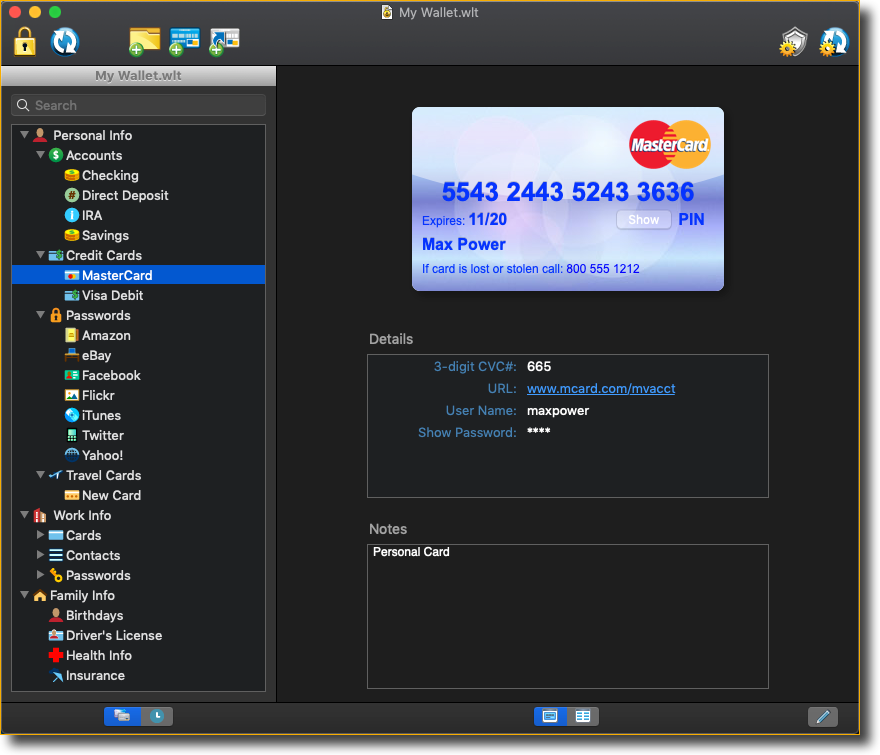
We just released an updated version of eWallet for Mac today. This update includes a couple of quick fixes that we wanted to get out right away. First, it solves problems some of our Leopard users were running into. Second, it corrects the maximized behavior so that the Properties drawer doesn’t appear off screen.
You can grab the latest version from here and use your unlock codes from the previous release to register the software. Or if you don’t have your unlock codes, you can always request that we send them again using this form.
Posted in General, Mac | Trackback URL
August 11th, 2010 by Julie
We’re very excited to announce that our long awaited version of eWallet for Mac is now available! With eWallet for Mac you get all the security and ease-of-use you’ve come to expect from eWallet, in an interface specially designed for Mac OS. eWallet for Mac offers the same simple synchronization system offered on Windows, including the option to sync with Apple iOS devices (iPhone, iPad, or iPod touch), other computers on your network, or removable storage devices.
If you already own the full eWallet 7 package (which includes support for Windows PC, Windows Mobile, and BlackBerry) it’s free to add eWallet for Mac. Just download the latest version here and register using the same registration codes you received for Windows PC (if you’ve misplaced your registration codes, you can request new ones).
If you never added eWallet for these other platforms, you can get it for just $19.95. One purchase lets you use eWallet on Mac, Windows PC, Windows Mobile, and BlackBerry. You can also use our free eWallet Viewer for Android to sync with eWallet for Windows.
eWallet for iOS devices (iPhone, iPad, or iPod touch) is still a separate purchase available through the iTunes App Store, but it is fully compatible with eWallet for Mac. Using Wi-Fi you can quickly synchronize data between your Mac and your iOS device.
We’re already working on updates for eWallet on Mac, so if you have a favorite feature you’d like to see added, or ideas on how we can make eWallet for Mac even better, please let us know!
Posted in General, Mac | Trackback URL
July 20th, 2010 by Julie
We just released an update to the Android eWallet Viewer. This version improves the Viewer’s new Search functionality, and fixes a problem that some people experienced with eWallet Viewer’s auto-lock functionality after we added Search.
Although not many folks ran into the issue, we think that you can never have too much security, so please be sure to update to this version.
You can get the latest version by searching for “eWallet Viewer” on the Android Market. You’ll need a phone with Android OS 1.6 or greater for the Viewer to work.
Don’t have eWallet Viewer yet? Find out more on our site – you will need eWallet 7.1 for Windows to sync your wallets to your phone for viewing.
And as always, if you have any questions, feel free to contact us.
Posted in Android, General | Trackback URL
June 30th, 2010 by Julie
This is just a quick post to let everyone know about two eWallet updates we’ve released this week. First up: eWallet for iPhone / iPad / iPod touch was approved by Apple yesterday. The update adds compatibility for iOS 4, so eWallet is now working great on the new OS! Updates for the new retinal display aren’t included yet, but we are working on that as well. eWallet Lite has also been released with iOS 4 compatibility.
And update #2: for all you Android users out there – we’ve released a new version of our eWallet Viewer, which adds search! This upgrade works on Android devices with OS 1.6 and above.
That’s all for this announcement! If you have questions or need help with either upgrade, remember you can always contact us.
Posted in Android, Our Products, iPhone, iPad and iPod touch | Trackback URL
June 4th, 2010 by Julie
Well, our anniversary contest is all wrapped up now. I spent some time this morning toiling over the entries to pick the winners – there were quite a few repeat songs, and I wanted to make sure to pick the first commenter in each case!
So who won, you ask? Hit the jump to find out….
Read the rest of this entry »
Posted in Contests, General, Our Company & Staff | Trackback URL
June 2nd, 2010 by Julie
Today is our 13th anniversary! Isn’t that something? We’ve been working in the mobile (and desktop) app game since 1997. And in an industry that changes so often – especially in recent years – we’re very happy to still be here, doing what we love and making software that we’re proud of.
Of course, we know we would never have made it this far without you: our loyal customers, reviewers, friends, colleagues, supporters, partners, beta testers – everyone who has helped us out over the last 13 years, and kept us moving forward. We couldn’t have done this without you, and while we’ll never be able to thank you enough, I’ll put this in all caps so you can tell I’m really serious: THANK YOU!!
You know, some people say that 13 is an unlucky number – but that’s not always the case, especially not today! Hit the jump for some fun factoids about our new favorite number. And did someone say contest? Because we want to celebrate with you and give away some cool prizes.
Read the rest of this entry »
Posted in Contests, Our Company & Staff, Our Products | Trackback URL
April 29th, 2010 by Julie
I have some good news for all of our Mac users today. We’ve released another update to the eWallet for Mac Beta Preview, with even more new features and improvements!
Note that if you were using the 30 day trial (which you can download here), installing this version will give you another 30 days.
So what’s new? Hit the jump to see the lists!
Read the rest of this entry »
Posted in Mac, Our Products | Trackback URL
April 13th, 2010 by Julie
It’s only been just over a week since the iPad version of eWallet was approved by Apple, and I’ve already got an update – with some cool new features – to tell you about!
The big news is that we’ve added a method for backing up and restoring wallets from email in eWallet for iPad. Just select a wallet and click the Backup button to send a copy of your wallet to yourself via email. You can also move wallets into eWallet on the iPad by emailing them and opening the attached wallet on your iPad. eWallet will automatically save the wallet and open it on your device.
It’s a great way to move and restore wallets, especially if you aren’t using a desktop computer to synchronize with. And to those with iPhones, the announcements regarding iPhone OS 4.0 suggest that we’ll be able to add the same functionality to eWallet for the iPhone and iPod touch in the future.
We also improved the tap and hold functionality. A number of eWallet functions (renaming field labels, accessing the password generator, and changing field types) are accessed by tapping and holding on a field. With this release we’ve tweaked that function a bit to make it a little easier to use.
And we also released eWallet Lite for the iPad this week! eWallet Lite for iPad will let customers try out eWallet before they buy. Just like eWallet Lite for iPhone, it limits you to a single wallet and 10 cards, but it has all the other features you’ll find in the full version of eWallet.
Find out more on our site: eWallet for iPad and eWallet Lite.
Posted in Our Products, iPhone, iPad and iPod touch | Trackback URL
April 7th, 2010 by Julie
What a week for software updates and releases! Believe it or not, I have another one to tell you about. We’ve just released a new version of the eWallet Preview for Mac OS. We’ve made some great progress and wanted to share the updated version with you. Note that if you were using the 30 day trial (which you can download here), installing this version will give you another 30 days.
So what’s new in this release? There’s actually quite a bit, so hit the jump to read the lists!
Read the rest of this entry »
Posted in Mac, Our Products | Trackback URL
April 6th, 2010 by Julie
Hot on the heels of our iPad eWallet release, I’ve got more exciting news for you today. Our eWallet Viewer is now available in the Android Market.
What exactly is eWallet Viewer, you ask? Great question. eWallet Viewer is the latest feature for our award-winning password manager, available to all eWallet owners who use an Android device. And best of all, it’s free!
If you own eWallet 7, you can use eWallet Viewer to access your wallet files on your Android device. Easily synchronize wallets from the Windows PC version of eWallet to your Android phone, and view them anytime, anywhere! And, of course, eWallet Viewer has the same level of security and encryption you’ve come to expect from eWallet.

Ready to get it? All you have to do is search the Android Market on your phone for “eWallet Viewer”. It couldn’t be simpler, right? And if you don’t own eWallet 7 for Windows yet, you can try it free for 30 days. You’ll be able to sync the wallets you create in the Windows version to your Android device for viewing. When you’re ready to buy, you can get eWallet 7 from our store.
UPDATE: You will need the latest Windows PC version (7.1.0.28501) of eWallet to see the Android device option in Sync Setup. You can download it here.
More details about eWallet Viewer, and some great screenshots of it in action, are right here on our site.
Posted in Android, Our Products | Trackback URL