I was talking with someone I used to work with yesterday, and he asked me how our users hear about us.
It was a good question, and one that a good marketing person should be able to answer. Too bad I’m not a good marketing person.
So rather than trying to figure it out from not enough information, I’m just going to ask - if you’re reading this, how did you first hear of us? An ad? A review? A friend? Browsing an app store? Something else?
Please help us out and let us know. Leave a comment here - you don’t have to create an account or send us any info - or just tweet me an answer. As an incentive, we’ll give away some Amazon and iTunes gift cards to a random selection of people who respond.
And while I can see a need for password recovery, I admit I’m having a hard time seeing the line between recovering a password of your own and hacking someone else’s.
If you’re using the same password on a lot of sites, you’re asking for trouble.
If you’re using weak passwords, you’re asking for trouble.
I get so frustrated when people tell me they keep their passwords in Excel. Or Notepad. Or TextEdit or iWork. Or “I just let my browsers keep them”, or “I use the same password everywhere”.
Let your browser keep your Twitter password, by all means. Use Notepad for the passwords you have to create just to comment on some site. But don’t be that careless with the passwords to your bank accounts, IRA accounts and credit cards.It’s your money. I can’t make it any clearer than that. If someone gets your passwords, they can get at all your money online. And except for what’s in your pocket, purse, underwear drawer, and the floor of your car, all your money’s accessible online.
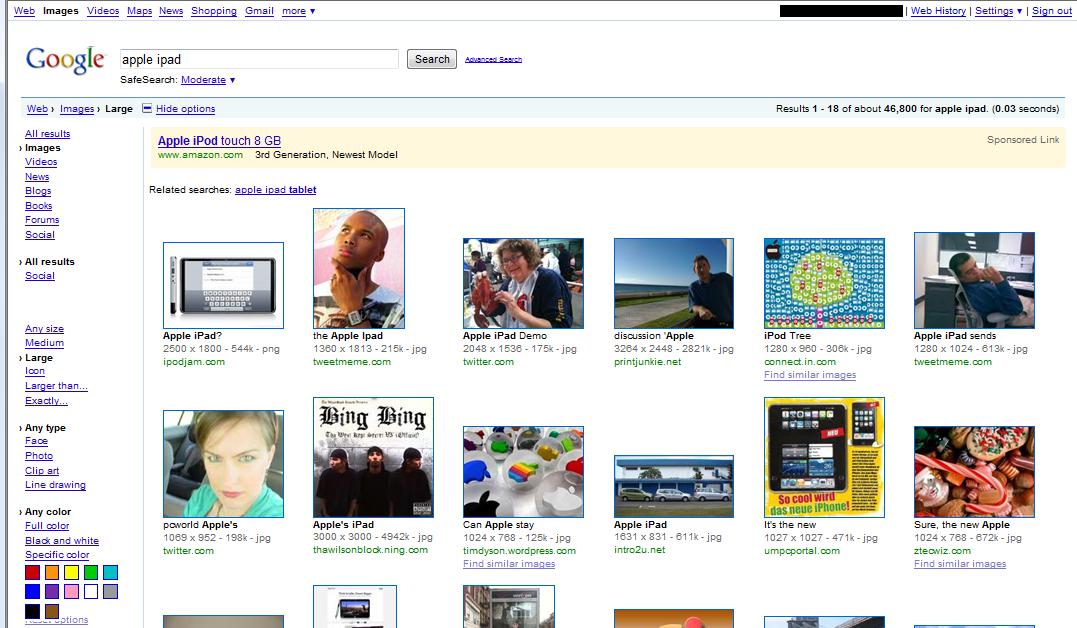
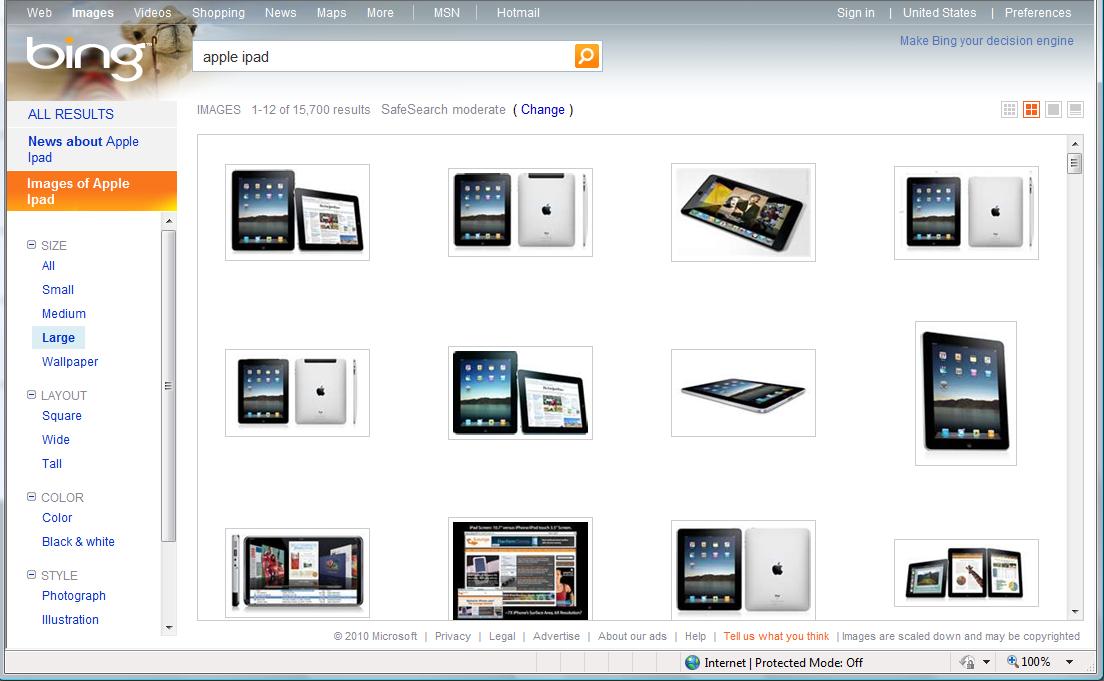
I found the most convincing proof I’ve seen that Google is making a Tablet. I found it while hunting down screenshots and pictures of the Apple iPad using Google Image Search. No matter how hard I tried I kept coming up with everything but pictures of the iPad.
So I did something I very seldom try - I used Bing…and suddenly I have tons of pics!
Now I love a lot of things about Microsoft, but Bing isn’t one of them. In all honesty, it very seldom returns the thing I’m actually looking for. And trust me - I’ve used Bing a LOT. I was in the beta program and used it enough to get a free copy of Zoo Tycoon.
I gotta say, it really looks like Google is “cooking the books” on this one. Missing the mark on a search this badly just doesn’t fit. Even if you yank the image size criteria I entered, you still get a bunch of images that very clearly are not an actual iPad.
I’m sure folks will come up with all sorts of reasons that it makes perfect sense that Google has completely failed to return the search results I expected, but they’ve never missed this badly before - it just doesn’t make sense!
A lot of people are writing their opinions on the effect the iPad will have on Amazon’s Kindle sales, and their ideas of Amazon should be doing in light of last week’s Apple announcement. Here’s mine:
Turn their eBook collection into an online, cloud-based lending library.
What I mean by this is to offer a service like the one LaLa now has, where I can buy songs for 1/10 of what I’d pay for the downloadable mp3, but I can’t download the songs. I can, however, listen to them any time I want - I “own” the listening rights, but the songs stay online.
If Amazon could do this for books - charge me something like US$1.00 per book, but only let me read the cloud’s version (or maybe download it to a device for a limited time - I’ll let them work out the details), I’d buy a Kindle right now, just for that.
Apple, of course, could do the same thing, and maybe they will. They’ve bought LaLa, after all, though it’s still not clear what they intend to do with it. But they’ve probably got their hands a little full right now.
Why I think this would be a great idea for anyone to do - it’s conceptually no different from a regular, brick and mortar library. There are a lot of people who read a lot, but don’t buy many books. I know; I’m one of them. I go through a lot of books, and I’m completely spoiled by the fact that I can borrow almost anything I want. I’m not going to give that up just for the convenience of eBooks. I read less than I used to, but I still go through 2 or 3 books a week. I’m not willing to pay $10.00 or so for each one.
But if I could “borrow” a book for $1.00 - especially with the Kindle’s existing ability to let me try out the first chapter before I make up my mind - that’s a no-brainer. And not only would it be exactly what I want, Amazon and the publishers would do great on it too. I can easily see people like me spending $150 or so a year on a service like that, plus of course the cost of the Kindles.
 I was talking with someone I used to work with yesterday, and he asked me how our users hear about us.
 No, it’s not ours.
 A lot of people are writing their opinions on the effect the iPad will have on Amazon’s Kindle sales, and their ideas of Amazon should be doing in light of last week’s Apple announcement. Here’s mine: