September 2013

eWallet for Windows 8/RT 7.3 update

by Ken

Windows logo

The new 7.3 version of eWallet ® for Windows 8/RT is now in the Windows Store. This updated version adds a handy category picker, displaying of subcategories with cards, improved tabbing when editing fields in a card (for the keyboarders out there), a search button and performance improvements.

In previous versions, the only way to see subcategories was by exploring. With this update, subcategories are now displayed right alongside of your cards. This allows you to see quite a bit of your information and organization, all on one screen.
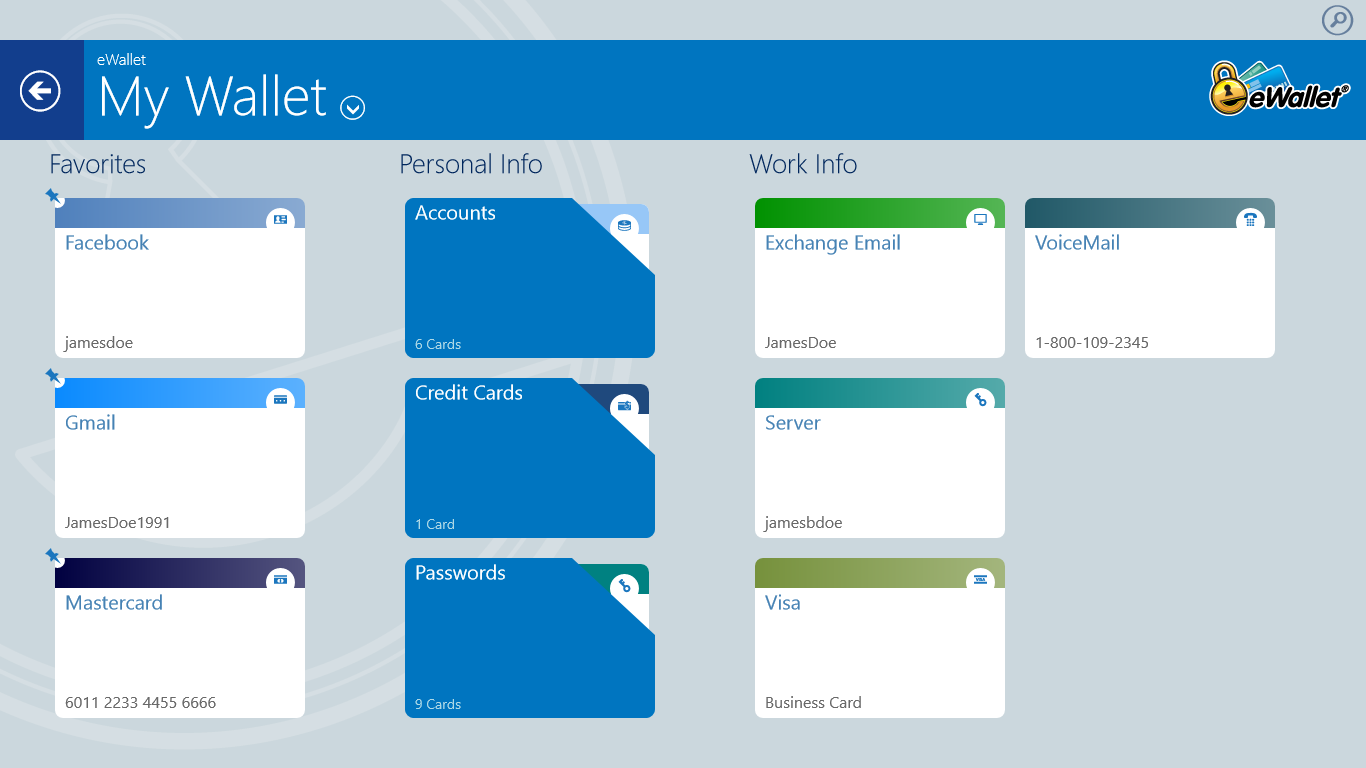
 Categories, subcategories and cards

Categories, subcategories and cards

The new category picker makes it really easy to completely change your view to the category or subcategory that you want; handy for people who take advantage of categories to structure their information.
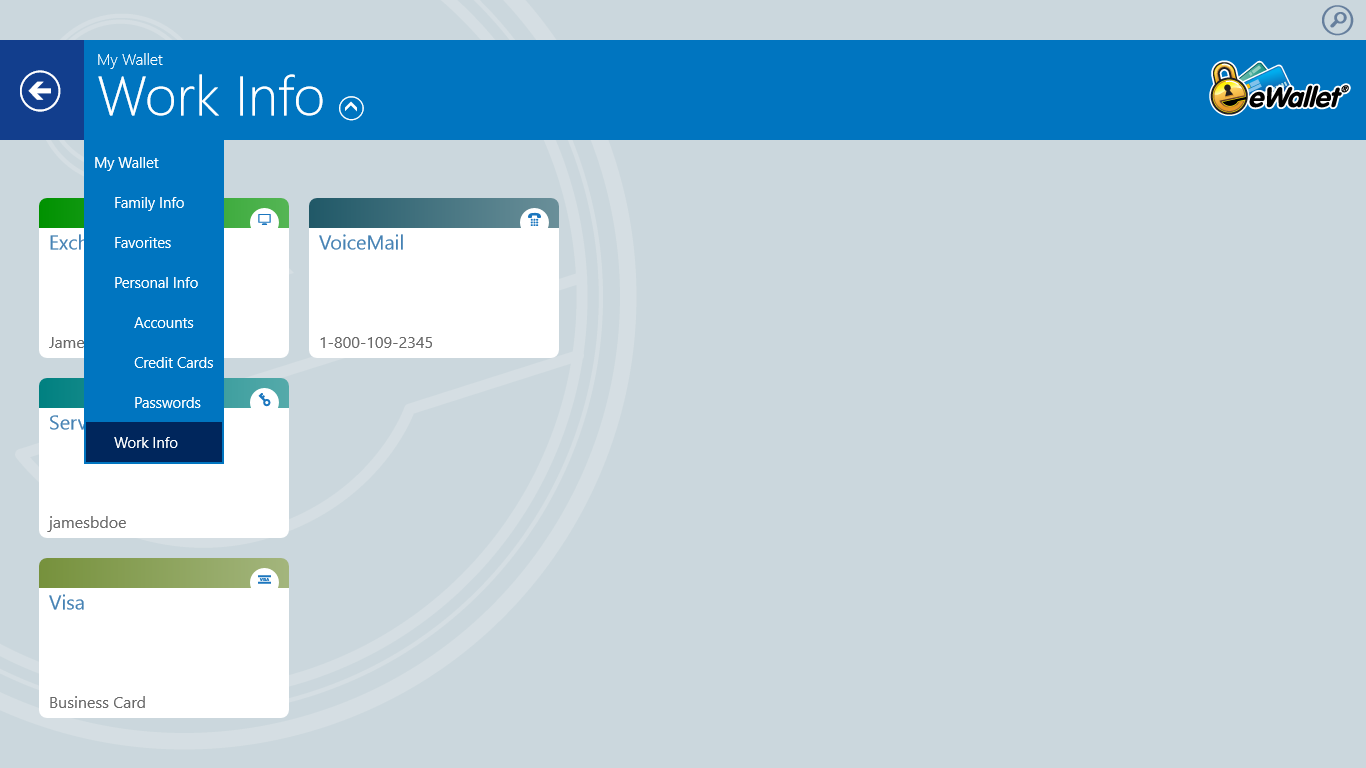
 Quick category navigation

Quick category navigation

We’ve had search since version 1 but apparently not everyone knows about the charms area, the standard place for search in a Windows 8/RT application (note that Windows 8.1 is allowing search to be more front and center). We added a search icon above the banner that pops open the search charm.

Thank you for all the great feedback on this version and please keep it coming.

eWallet for Windows 8 runs on Windows 8 desktops as well as tablets running Windows 8 or Windows RT. This upgrade is free (from Microsoft’s store) for all users who already own a license of eWallet for Windows 8/RT. Get all the info about eWallet here on our site.

Windows Store logo

Share this article:


eWallet 7.5 for Android now available

by Ken

eWallet logoFollowing up the recent releases of eWallet® on iOS, Mac, and Windows we’re happy to announce that the new 7.5 version is now available on Android. This version is a major update and includes a ton of user requested features, some visible, and some “underneath the hood.”
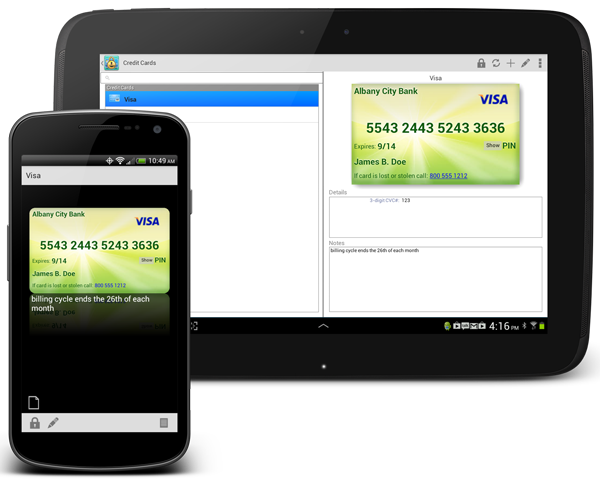


The biggest visible changes are to the user interface. We added Card View for an alternate view of your data (flex view is still available) and also added a completely new interface specifically for tablets. You’ll see we’ve put a lot of the common functions on new Action Bars to make it easy to access and change your important information. eWallet for Android

The Android version now supports picture cards too, as well as background images on non-picture cards. The new tablet interface includes both card view and flex view so you can decide which way you prefer to see your information.

Some of our users take advantage of using multiple wallet files, and we’ve improved synchronization for multiple files at once, even if you’re not using Bonjour. We also found a more reliable way to get the identifier of the device (the IP address). We also fixed several other things that were minor, but make the product better. Thank you for all the great feedback and please keep it coming.

eWallet for Android runs on Android OS 2.3 to 4.x including both phones and tablets. This upgrade is free for all users who already own a license of eWallet version 7 for Android. If you purchased a copy from Google Play or Amazon using their app stores, then you’ll be able to use the Update feature in the respective store to get the new version. Get all the info about eWallet here on our site.

You can find eWallet in both Google Play (aka the Android Market) as well as on the Amazon appstore.

Get eWallet on Google Play

Update (September 13, 2013): A couple of users reported issues with images in 7.5 that we didn’t catch in testing; the 7.5.1 release is now available and resolves those issues.

Share this article:


eWallet 7.4.2 for Mac OS X Update

by Ken

e-wallet

Just a quick update — today we released eWallet® for Mac OS X version 7.4.2. It’s a minor release but includes a fix for a display issue with categories on some versions of OS X, and updated sample wallet, and several other small fixes.

eWallet for Mac runs on OS X 10.7 (Lion) or later. This upgrade is free for all users who already own a license of eWallet version 7 for the Mac. If you purchased a copy from Apple using their Mac App Store, then you’ll be able to use the Update feature in that store to get the new version. Get all the info about eWallet (including access to a 30-day trial version) here on our site.

Mac App Store Logo

Thanks as always for your feedback and keep it coming!

Share this article:


eWallet 7.5 for iPhone and iPad in App Store

by Ken

eWallet logoeWallet® 7.5 for iPad, iPhone and iPod touch is now in the App Store. This new version includes several highly requested features from our users (some of whom have been with us for our 16+ year history!):

  • Now includes AutoPass for automatically inserting user names and passwords on websites
  • Direct editing added for faster and easier entry of card information
  • New screen for easier adding of new cards
  • Includes Intro for new users
  • List of wallets improved and sample shown separately
  • Updated sample wallet

We’ve got new features coming out soon for the Android version as well; we hope to share something with you on that platform in the next couple of weeks.

eWallet 7.5 for iOS is packaged as a Universal Version. That means you get both iPhone (iPod touch) and iPad combined into one product. eWallet 7.5 for iPhone and iPad runs on iOS 4.3 or higher. Get all the info about eWallet here on our site.

As always, please keep the great feedback coming!

App Store Logo

Share this article: