eWallet 8.5 Update featuring AutoFill and Dark Mode now in iOS App Store
by Ken
eWallet® 8.5 for iOS* (iPad, iPhone and iPod touch) is now in the App Store. The update significantly enhances AutoFill and adds support for Dark Mode in iOS 13.
AutoFill
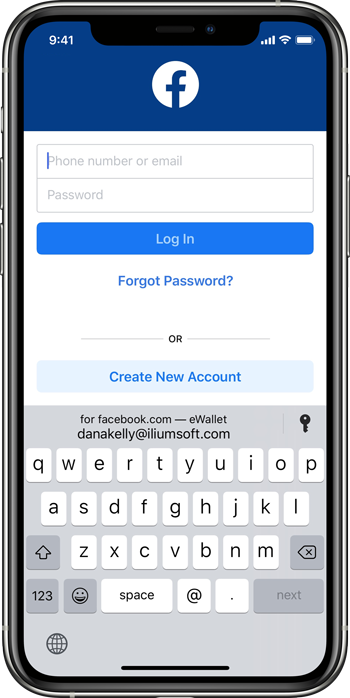
eWallet’s AutoPass feature has long allowed users to click on a URL in their wallet and have the username and password filled in on the website, all displayed directly within eWallet. In eWallet 8.4, AutoPass was enhanced to also work with the AutoFill feature that was introduced with iOS 12. Now this new update takes auto-filling of usernames and passwords even further, adding QuickType bar support, improved domain matching, and search. Tap in a username or password field in Safari or any other app, any you’ll be presented with credentials right above the keyboard; tap the credentials and voilà! We’ve got full instructions in our support area if you would like more detailed information.
Dark Mode
The release of iOS 13 brought Dark Mode to iPhones and iPads, where “the system uses a darker color palette for all screens, views, menus, and controls, and it uses more vibrancy to make foreground content stand out against the darker backgrounds.” As we did with Dark Mode in eWallet for macOS , we went through every panel in eWallet for iOS and made the appropriate adjustments, so they look great in both Light and Dark appearances.
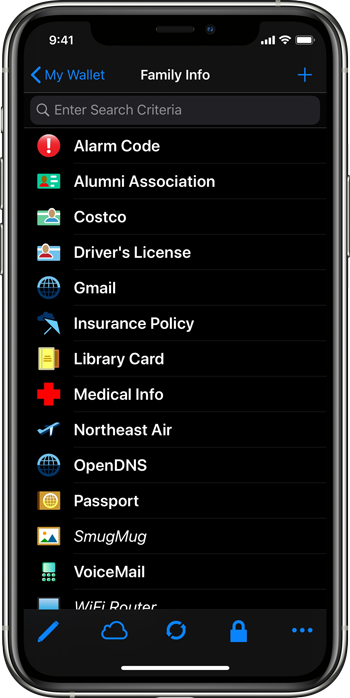
eWallet for iOS, Dark Mode
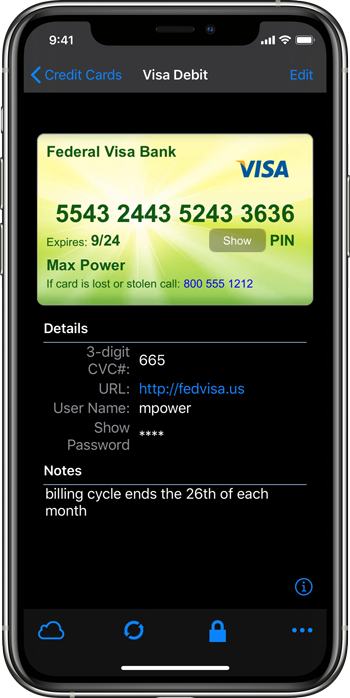
eWallet for iOS, Dark Mode
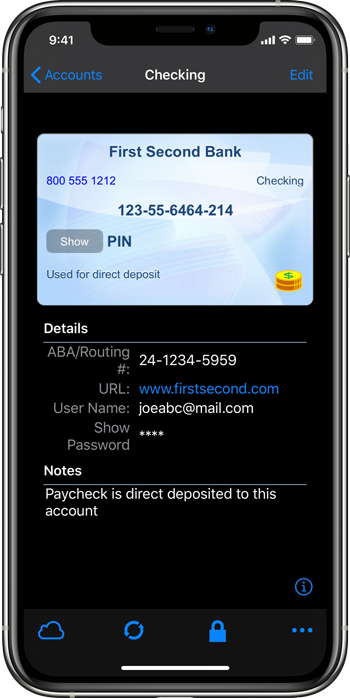
eWallet for iOS, Dark Mode
As usual, we had a hard-working group of beta testers for the 8.5 release; we made significant changes during this beta as a direct result of feedback from the group. If you have interest in participating in a future beta, or have any questions or comments about the release, please contact us!
eWallet 8.5 for iOS runs on iOS 8 and up, including iOS 13 and iPadOS 13. eWallet is optimized for iPad Air and iPad Pro, iPhone 5, 6, 6 Plus, 6s, 6s Plus, SE, 7, 7 Plus, 8, 8 Plus, iPhone X, iPhone XR, iPhone XS, iPhone XS Max, iPhone 11, iPhone 11 Pro, and iPhone 11 Pro Max. The latest version is available via the on-device App Store. Get all the info about eWallet for iOS here on our site.

App Store logo
* eWallet supports both iOS and iPadOS
eWallet is a registered trademark of Ilium Software, Inc.
Share this article:
- Filed under:
- eWallet
- , iPhone and iPad