eWallet 8.15 for iPhone and iPad Adds Support for iPhone Duo

by Ken

eWallet for iPhone and iPad banner

eWallet® 8.15 for iPhone & iPad is here, and it adds full support for Apple’s new iPhone Duo.

iPhone Duo

By now you’ve probably read about the iPhone Duo, Apple’s first foldable iPhone. Folded, it gives you an outer screen like a regular iPhone; open, it gives you a large, iPad-like inner screen. Maybe you’ve even picked one up already.

eWallet has long supported both iPhone and iPad in a single universal app, but the Duo is a bit of both: sometimes its screen is shaped like an iPhone’s, and sometimes more like an iPad’s. eWallet now adapts to whichever shape you’re using:

  • Buttons and icons move to where they make the most sense for the current screen.
  • When space is tight, less-used commands move into the overflow menu (the three dots).
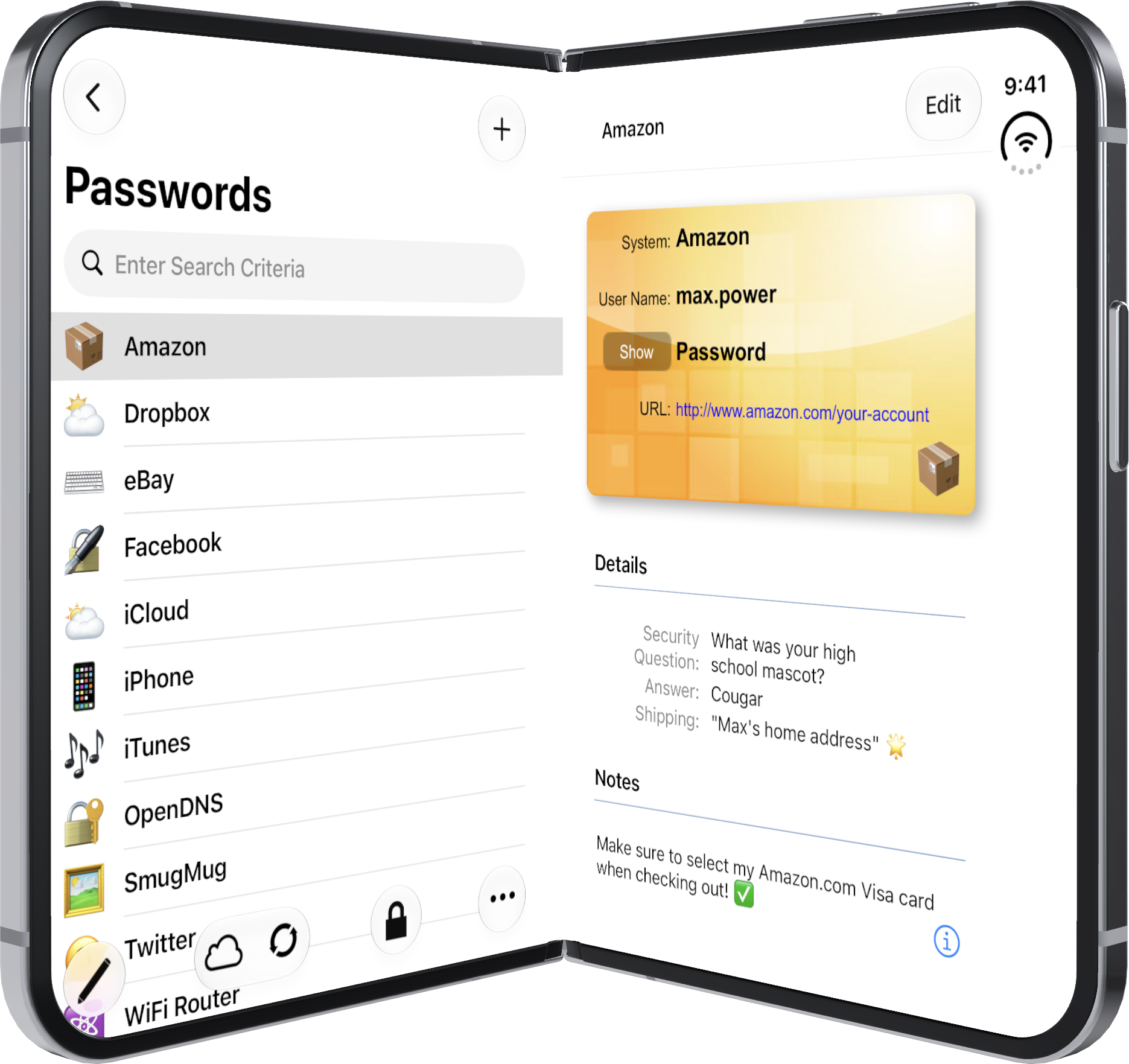
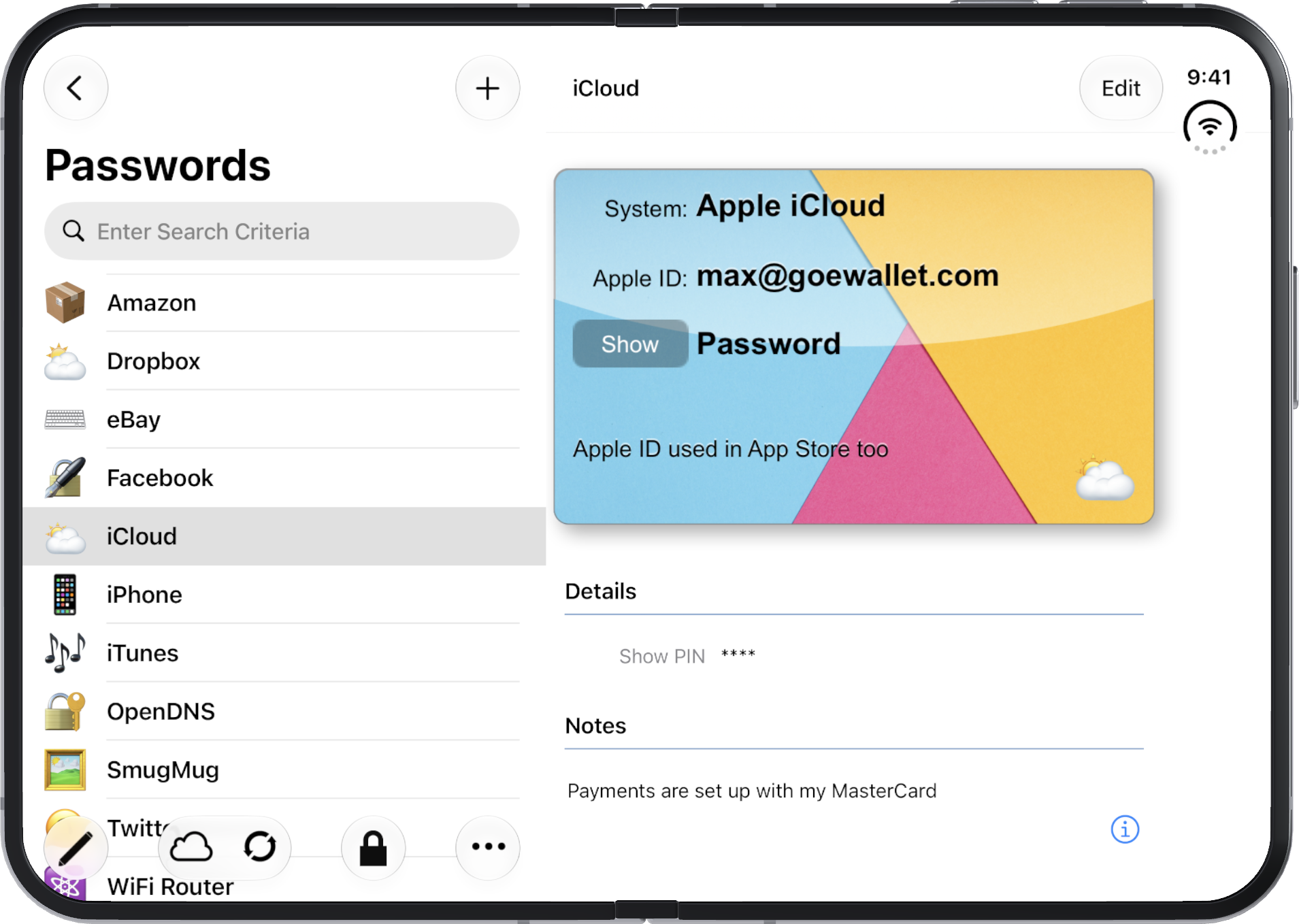
  • With the inner screen partly open, each side shows something useful.
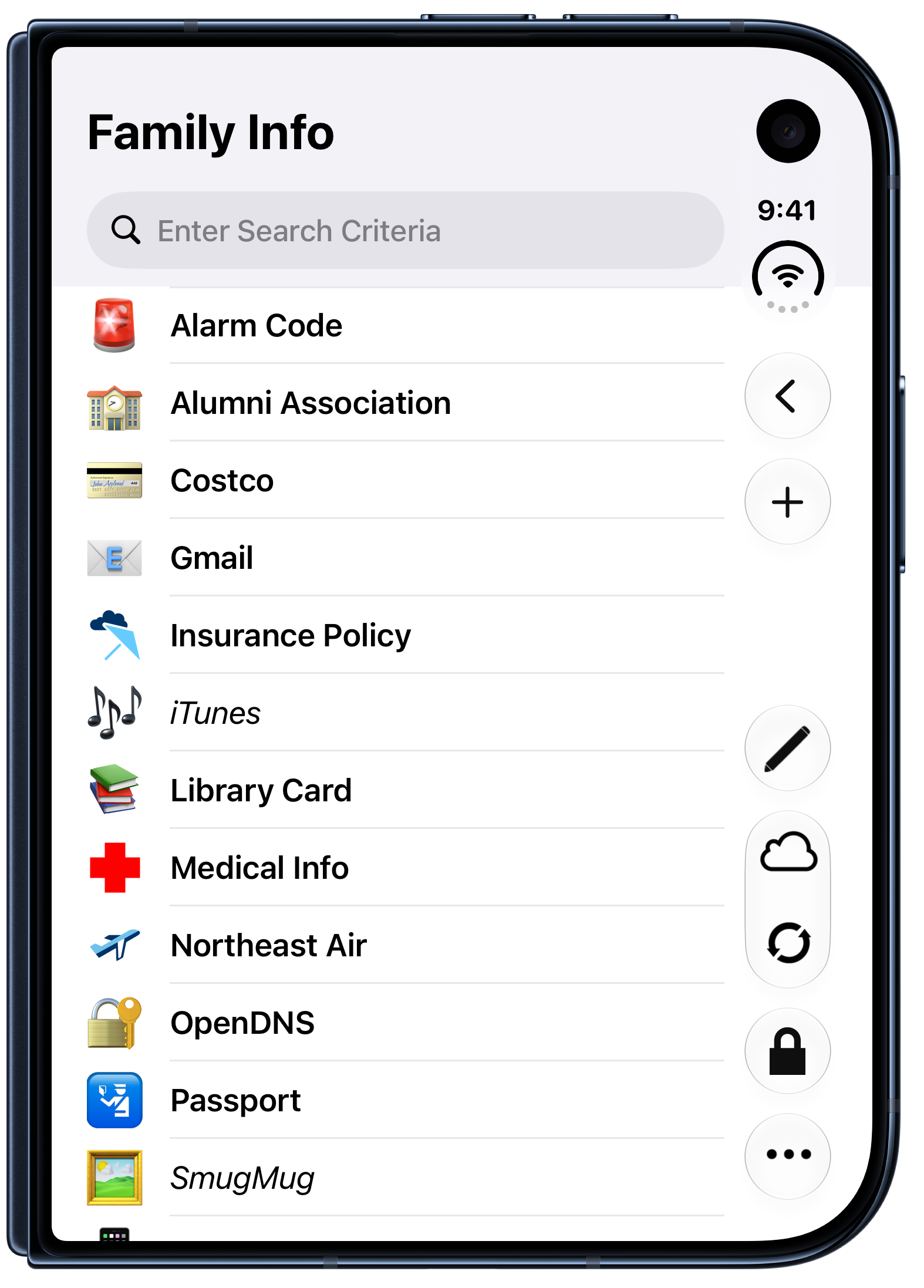
  • With the inner screen fully open, eWallet makes good use of all that extra room.
screenshot-01

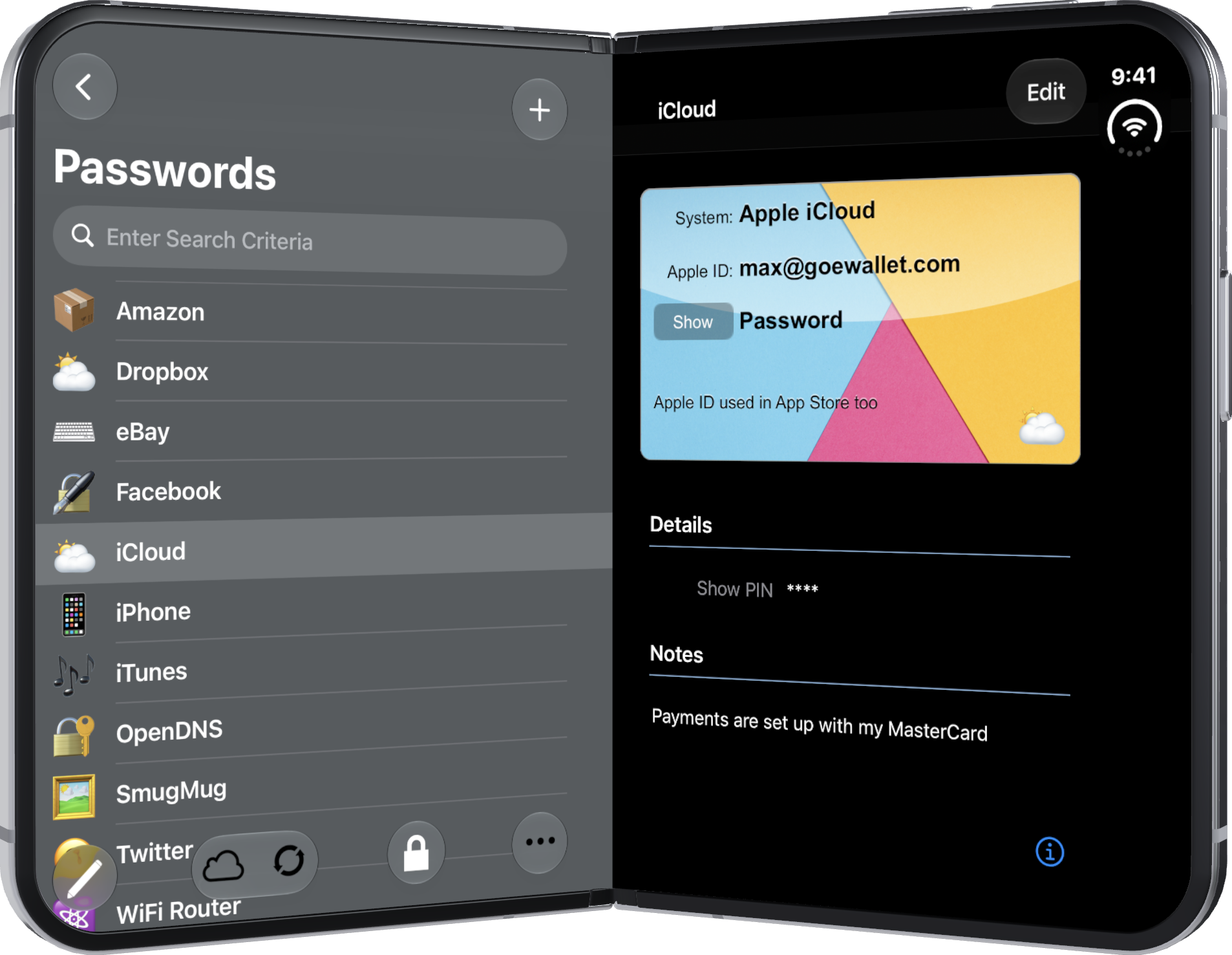
eWallet list and card, Duo partially open
screenshot-02

eWallet list and card, Duo fully open
screenshot-03

eWallet list of cards, outer screen

screenshot-04

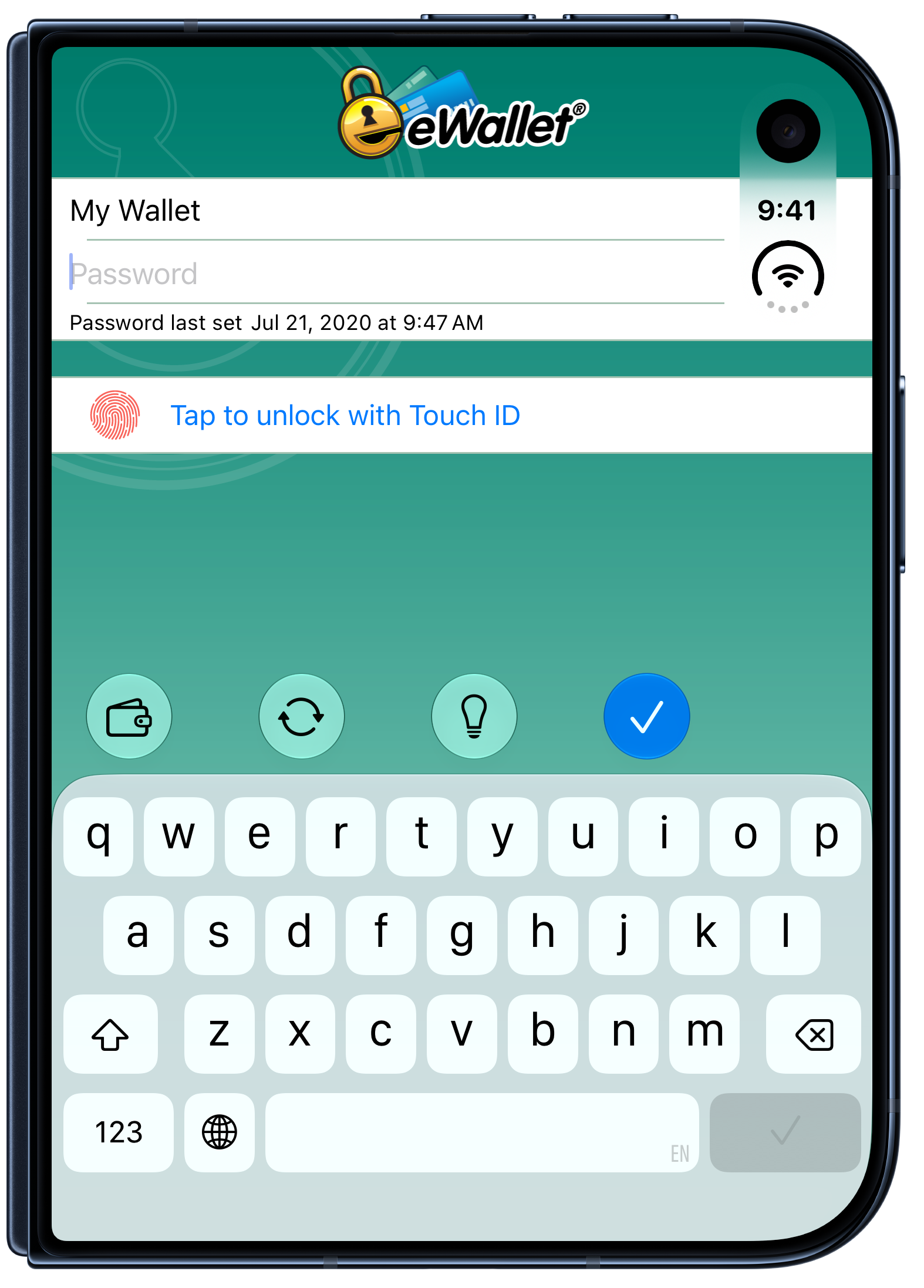
Supports Touch ID on iPhone Duo

screenshot-05

And Dark Mode too!

Other changes

On the iPad, the lock screen now shows icons instead of text labels. The icons take up less space, so the lock screen looks better when you resize eWallet’s window.

And of course, everything else you count on is still included: the built-in password generator, the optional Emergency Password Reset card, Face ID or Touch ID, syncing with eWallet on your other devices, and much more.

Contact Us

As always, if you have questions about this update or suggestions for what we should do next, please contact us!

About this release

eWallet 8.15 for iPhone & iPad runs on iOS and iPadOS 17 and later, including iOS 27 and iPadOS 27. The latest version, which includes a 30-day trial, is available on the App Store. You’ll find all the details about eWallet for iPhone & iPad here on our site.

Download on the App Store button

eWallet is a registered trademark of Ilium Software, Inc.

Share this article:


eWallet 8.14 for macOS update now available

by Ken

eWallet for macOS banner

The new eWallet® 8.14 release for macOS adds additional support for macOS Tahoe 26.

macOS Tahoe 26

The significant visual change in this release is the additional support for Apple’s macOS Tahoe 26. A transparent menubar, liquid glass controls, updated toolbars, and other elements are all designed by Apple to draw more focus on your content. And eWallet’s app icon has been updated as well, so if you’ve select Dark, Clear, or Tinted for the Icon & widget style, eWallet’s icon will adapt to the look you’ve chosen.

Other changes

Google’s Chrome browser made a change in version 142.0 that affected some browser extensions, including AutoPass for some users. If you’re using AutoPass with Chrome (this is not an issue with Safari), and you get stuck on the Redirecting page, AutoPass will now guide you to a simple and easy resolution.

And of course all the other features including a built-in password generator, an optional Emergency Password Reset card, Touch ID and syncing to eWallet on other platforms, just to name a few, are all included.

Contact Us

As always, if you have any questions about these updates, or have other suggestions, please do contact us!

About this release

eWallet 8.14 for macOS runs on macOS 11 or later, (Big Sur, Monterey, Ventura, Sonoma, Sequoia, and Tahoe). The latest version is available via the Mac App Store. Get all the info about eWallet for macOS (including access to a 30-day trial version) here on our site.

download on the Mac App Store button

eWallet is a registered trademark of Ilium Software, Inc.

Share this article:


eWallet 8.14 for iPhone & iPad

by Ken

eWallet banner for iPhone and iPad

The new eWallet® 8.14 release for iPhone & iPad adds additional support for iOS and iPadOS 26.

iOS / iPadOS 26

The major changes in this release add additional support for version 26 of Apple’s iOS and iPadOS. This means the controls in eWallet get the new glass effects on both iPhone and iPad. In addition, the iPad version has been updated to support flexible window sizes as well as menus. And last but not least, the application icon has been updated per Apple’s guidelines for a better appearance, especially on the new OS versions.

Other changes

Several other things were enhanced or fixed in this release as well. The Use Large Font setting now applies to edit mode as well, so editing cards should be a bit easier on the eyes if you use that feature. We also fixed an issue some users reported with recent versions of iOS and iPadOS when using a Japanese or Chinese keyboard. Several other more minor miscellaneous changes were made as well to round out the release.

Contact Us

As always, if you have any questions about these updates, or have other suggestions, please do contact us!

About this release

eWallet 8.14 for iPhone & iPad runs on iOS / iPadOS 15 and up, including iOS 26 and iPadOS 26. The latest version (which includes a 30-day trial) is available via the on-device App Store. Get all the info about eWallet for iPhone & iPad here on our site.

Download on the App Store button

eWallet is a registered trademark of Ilium Software, Inc.

Share this article:


eWallet 8.13 for iPhone & iPad adds Password Reset Option

by Dan

eWallet banner for iPhone and iPad

The new eWallet® 8.13 release for iPhone & iPad adds a Password Reset option and the ability to print cards.

Emergency Password Reset

eWallet now provides the ability to reset your wallet’s password if you have forgotten it. Normally, knowing the wallet password is essential for using eWallet. But if you rely on facial recognition or fingerprint scanning to unlock your wallet, you don’t need to enter your password everyday. You may find that after a while you can’t remember what your password is. If facial recognition or fingerprint scanning suddenly stops working due to device system security, which can potentially happen quite frequently, you would then be unable to access the passwords and other important information in your wallet. If that happens, you can now use eWallet’s Emergency Password Reset to gain access to your wallet again.

However, you can only do a Password Reset if you have prepared ahead of time by printing or writing down the Emergency Password Reset Key information. eWallet now provides the ability to generate this information and store it in a card in your wallet. You can then print the card or write down the key information and store it in a safe location where you will be able to find it later. If you find yourself in a situation where you need to reset the password, you can then locate the key information and use it to perform the password reset.

Typically, you would keep this reset information with other important papers, such as your will or the title to your vehicle. In the event that something happens to you and someone else (such as a spouse or relative) needs to have access to your passwords, this reset information would also allow them to reset your password and gain access to your wallet.

Preparing for an Emergency Password Reset is important enough that we recommend you do it soon after you have upgraded to eWallet 8.13. This feature is only available now on iPhone or iPad, but will be coming to the other platforms in the future. For more information about Emergency Password Reset, you can read the support article in our knowledge base.

Printing Cards

Printing your cards has previously been possible on Windows or macOS. Now eWallet provides the ability to print your cards from the iPhone or iPad as well. You should be able to print to any printer on your Wi-Fi network that supports Apple’s AirPrint. You can choose to print the current card, or all cards in the current category, or all cards in the entire wallet.

Contact Us

As always, if you have any questions about these updates, or have other suggestions, please do contact us!

About this release

eWallet 8.13 for iPhone & iPad runs on iOS 12 and up, including iOS 17 and iPadOS 17. The latest version (which includes a 30-day trial) is available via the on-device App Store. Get all the info about eWallet for iPhone & iPad here on our site.

Download on the App Store button

eWallet is a registered trademark of Ilium Software, Inc.

Share this article:


eWallet 8.12 update for macOS now available

by Ken
eWallet screenshot

eWallet screenshot

This new eWallet® 8.12 release for macOS is packed with a host of new features and improvements.

Revamped Editing Experience

Farewell to the Drawer: Enter the Properties Panel

The once-familiar Properties Drawer for editing cards has now gracefully stepped aside to make room for the new Properties Panel. This panel, which can be moved independently of the main eWallet window, offers a more intuitive and flexible editing experience. It aligns with Apple’s latest design guidelines, ensuring a seamless integration with the macOS ecosystem.

Quick Action Buttons for Swift Editing

Adding new cards is now a breeze with the introduction of quick action buttons in the editor. These buttons cater to the need for speed, allowing users to pick from frequently used usernames, generate passwords instantly, and easily manage dates. The emphasis is on streamlining the editing process, making eWallet 8.12 a time-saving ally in your digital endeavors.

Customization and Viewing Options

Tailored Grid Views for Every Card

With eWallet 8.12, you have the power to set the Grid view option for each card individually. The flexibility extends further with a third type of card view that displays the configured view. This level of customization ensures that your digital wallet reflects your preferences and priorities, offering a personalized experience.

Wallet-Wide Card Options

Not all cards are created equal, and eWallet 8.12 recognizes this fact. The ability to set wallet-wide card options empowers users to manage their cards globally, ensuring consistency and coherence in their digital wallet. It’s a feature that speaks to the diverse needs of users who demand control and customization.

Enhanced Backup and Restore Functionality

Tailored Backups at Your Fingertips

eWallet for macOS has long had a feature where it saves local copies of your wallet that come in handy for restoring an accidentally deleted wallet, or going back to an older version of your wallet to retrieve important information. This new update lets you easily get to the container the wallet files are stored in and also lets you set the number of internal copies made. (As always, these backups are internal, local copies that are deleted when the app is deleted and are not a substitute for good off-device backups.)

Bug Fixes and Microsoft OneDrive Integration

Resolving OneDrive Token Issues

For users leveraging Microsoft OneDrive, eWallet 8.12 brings relief by addressing and fixing issues related to updating OneDrive tokens. This ensures a seamless and secure integration with OneDrive, eliminating any potential disruptions in the syncing process due to outdated tokens.

Tackling File Name Challenges

An additional fix in this update addresses problems associated with certain non-alphabetical characters in the wallet file name.

Contact Us

As always, if you have any questions about these updates, or have other suggestions, please do contact us!

eWallet 8.12 for macOS runs on macOS 10.13 or later, (includes High Sierra, Mojave, Catalina, Big Sur, Monterey, Ventura, and Sonoma). The latest version is available via the Mac App Store. Get all the info about eWallet for macOS (including access to a 30-day trial version) here on our site.

Download on the Mac App Store button

eWallet is a registered trademark of Ilium Software, Inc.

Share this article:


eWallet now syncs via Google Drive and OneDrive

by Ken
Cloud image

Cloud image

Cloud options

eWallet® offers multiple options to sync your data securely across devices and computers. In the past, if you choose to sync via the cloud, you were limited to either Apple’s iCloud (for an all Apple scenario) or Dropbox. eWallet 8.11 now offers two major new options for cloud services: Google Drive and Microsoft OneDrive. Configure eWallet once and then sync is pretty much automatic going forward.

As with iCloud and Dropbox, everything is included with eWallet so there is no requirement to install Google Drive or OneDrive software. See our Sync information by platform article for a complete list of sync options.

More password generation options

Previous versions of the password generator would treat the selected Allowed Characters, A-Z, a-z, 0-9, etc., as potential candidates for a password but wouldn’t require them. With the previous versions it was possible, due to randomness, to generate a password that didn’t include a number, even though numbers were selected. Now when you select no memory aid and a password length of at least 8, your password will include at least one of each of the characters in the Allowed Characters you selected.

With features like AutoPass and the ability to copy/paste, you don’t often need to see your passwords to use them. In the cases where you do need to read your password, even with a good font certain characters can be hard to distinguish from each other (think zero and the letter O). If you find particular characters hard to distinguish (e.g., the number one from a lowercase L), then you can exclude those characters from the pool of Allowed Characters.

Contact Us

As always, if you have any questions about these updates, or have other suggestions, please do contact us!

About these releases

eWallet 8.11 for Android runs on Android OS 8.0 to 13.x including both phones and tablets. The latest version is available from Google Play or the Amazon AppStore. Get all the info about eWallet for Android here on our site.

eWallet 8.11 for iPhone & iPad runs on iOS 9 and up, including iOS 16 and iPadOS 16. The latest version (which includes a 30-day trial) is available via the on-device App Store. Get all the info about eWallet for iPhone & iPad here on our site.

eWallet 8.11 for macOS runs on macOS 10.13 or later, (includes High Sierra, Mojave, Catalina, Big Sur, Monterey, and Ventura). The latest version is available via the Mac App Store. Get all the info about eWallet for macOS (including access to a 30-day trial version) here on our site.

eWallet 8.11 for Windows (desktop) runs on Windows 10 and 11 PCs and tablets as a desktop app, Windows 8.1 in Desktop mode, and all versions of Windows 7 (sp1+). Get all the info about eWallet for Windows (including access to a 30-day trial version) here on our site.

eWallet is a registered trademark of Ilium Software, Inc.

Share this article:


Search

Archives

Categories

RSS Feed

News