• Skip to primary navigation
  • Skip to main content
  • Skip to primary sidebar
ilium software logo

Ilium Software Blog

Behind the Scenes at Ilium Software

  • Home
  • eWallet
  • ListPro
  • Other

eWallet

eWallet for Windows 8/RT 7.4 update

November 15, 2013 by Ken

Windows logo

The new 7.4 version of eWallet® for Windows 8.1 and Windows RT 8.1 is now in the Windows Store. This updated version adds full support for Windows 8.1, a search box on the main screens, support for resizing the full screen windows, easier adding of custom details to card, and performance improvements. See our last update for improvements made just a few weeks ago.

Before Windows 8.1, we were not allowed to have a search area directly on our main pages — users always had to go to the charms area first to search. One of the big improvements in Windows 8.1 has been to allow search to be more readily available. Now in eWallet, you can just start typing on a screen and we’ll start searching for the card immediately.

eWallet Main Page
eWallet main page with live search

We made quite a few “under the cover” changes to support Windows 8.1 and take advantage of its new features and better performance; in fact, this version has changed enough that we now require Windows 8.1 (Windows 8.1 is a free upgrade to Windows 8 from Microsoft).

I also wanted to mention that we’ve heard from a few folks who think this product is an upgrade for our Windows Desktop version — that’s actually not the case, we fully support both and they are both listed in the Microsoft Store. We’ve got trial versions of both as well so you can fully check them out before making a purchase decision.

Thank you for all your feedback and please keep it coming.

eWallet for Windows 8 runs on Windows 8.1 PCs as well as tablets running Windows 8.1 or Windows RT 8.1. This upgrade is free (from Microsoft’s store) for all users who already own a license of eWallet for Windows 8/RT. Get all the info about eWallet here on our site.

Windows Store logo

Share this:

  • Click to share on X (Opens in new window) X
  • Click to share on Facebook (Opens in new window) Facebook
  • Click to share on LinkedIn (Opens in new window) LinkedIn

Filed Under: eWallet, Microsoft

eWallet 7.4.3 for Mac OS X Update

November 6, 2013 by Ken

e-wallet

Today we released eWallet® for Mac OS X version 7.4.3. It’s a minor release but includes a fix that was affecting some people after upgrading to Mavericks (10.9). We didn’t see the problem in any of the preview versions of Mavericks and it was really tough to track down so a big thank you to all the customers who helped us sort this out.

If you happen to have been affected by this, we’ve got upgrade instructions in our Knowledge base. Of course if you need help with this, please contact us.

eWallet for Mac runs on OS X 10.7 (Lion) or later. This upgrade is free for all users who already own a license of eWallet version 7 for the Mac. If you purchased a copy from Apple using their Mac App Store, then you’ll be able to use the Update feature in that store to get the new version. Get all the info about eWallet (including access to a 30-day trial version) here on our site.

Mac App Store Logo

Thanks as always for your feedback and keep it coming!

Share this:

  • Click to share on X (Opens in new window) X
  • Click to share on Facebook (Opens in new window) Facebook
  • Click to share on LinkedIn (Opens in new window) LinkedIn

Filed Under: eWallet, iPhone and iPad

eWallet for Windows 8/RT 7.3 update

September 25, 2013 by Ken

Windows logo

The new 7.3 version of eWallet® for Windows 8/RT is now in the Windows Store. This updated version adds a handy category picker, displaying of subcategories with cards, improved tabbing when editing fields in a card (for the keyboarders out there), a search button and performance improvements.

In previous versions, the only way to see subcategories was by exploring. With this update, subcategories are now displayed right alongside of your cards. This allows you to see quite a bit of your information and organization, all on one screen.
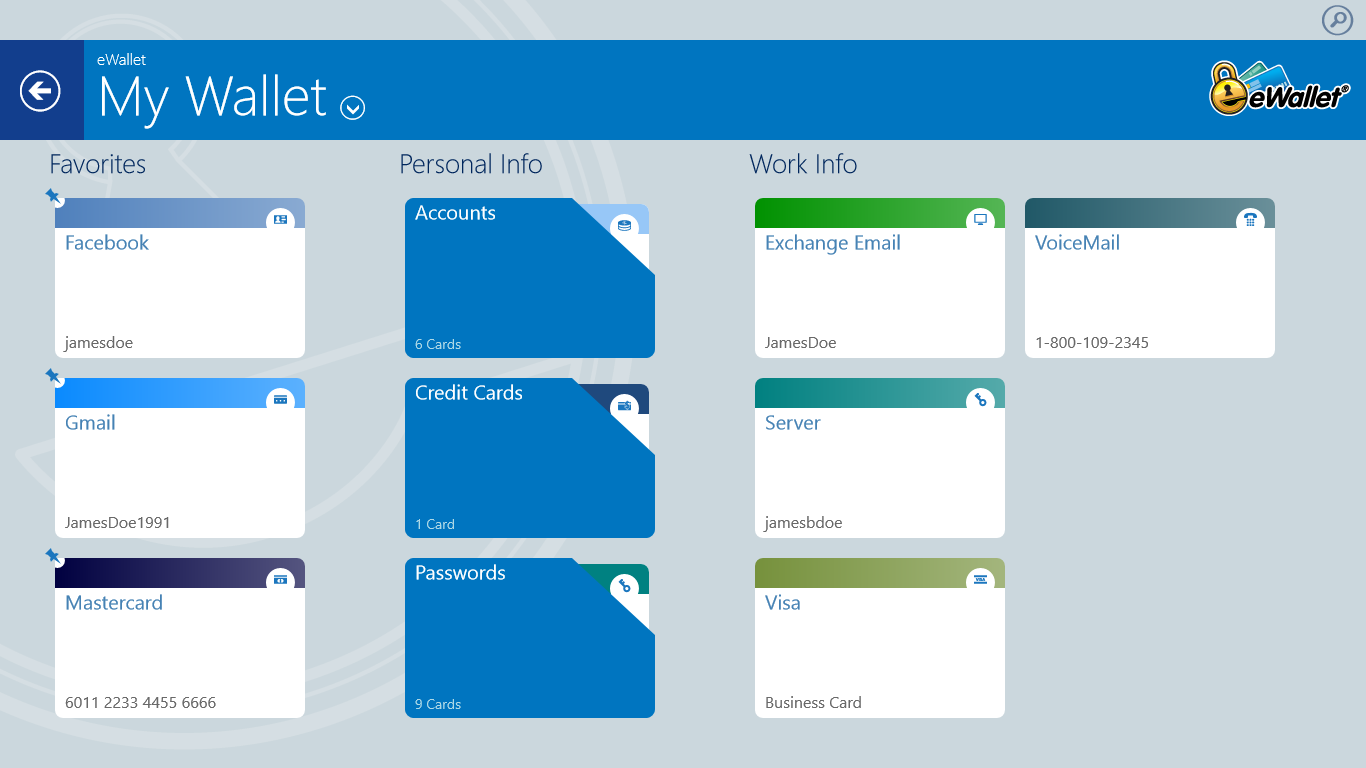
eWallet Main Page
Categories, subcategories and cards

The new category picker makes it really easy to completely change your view to the category or subcategory that you want; handy for people who take advantage of categories to structure their information.

eWallet category navigation
Quick category navigation

We’ve had search since version 1 but apparently not everyone knows about the charms area, the standard place for search in a Windows 8/RT application (note that Windows 8.1 is allowing search to be more front and center). We added a search icon above the banner that pops open the search charm.

Thank you for all the great feedback on this version and please keep it coming.

eWallet for Windows 8 runs on Windows 8 desktops as well as tablets running Windows 8 or Windows RT. This upgrade is free (from Microsoft’s store) for all users who already own a license of eWallet for Windows 8/RT. Get all the info about eWallet here on our site.

Windows Store logo

Share this:

  • Click to share on X (Opens in new window) X
  • Click to share on Facebook (Opens in new window) Facebook
  • Click to share on LinkedIn (Opens in new window) LinkedIn

Filed Under: eWallet

eWallet 7.5 for iPhone and iPad in App Store

September 4, 2013 by Ken

eWallet logoeWallet® 7.5 for iPad, iPhone and iPod touch is now in the App Store. This new version includes several highly requested features from our users (some of whom have been with us for our 16+ year history!):

  • Now includes AutoPass for automatically inserting user names and passwords on websites
  • Direct editing added for faster and easier entry of card information
  • New screen for easier adding of new cards
  • Includes Intro for new users
  • List of wallets improved and sample shown separately
  • Updated sample wallet

We’ve got new features coming out soon for the Android version as well; we hope to share something with you on that platform in the next couple of weeks.

eWallet 7.5 for iOS is packaged as a Universal Version. That means you get both iPhone (iPod touch) and iPad combined into one product. eWallet 7.5 for iPhone and iPad runs on iOS 4.3 or higher. Get all the info about eWallet here on our site.

As always, please keep the great feedback coming!

App Store Logo

Share this:

  • Click to share on X (Opens in new window) X
  • Click to share on Facebook (Opens in new window) Facebook
  • Click to share on LinkedIn (Opens in new window) LinkedIn

Filed Under: eWallet, iPhone and iPad

eWallet for Windows PC 7.5

July 29, 2013 by Ken

e-wallet

Today we released eWallet® for Windows PC version 7.5 with several new user-requested features:

  • Now uses Microsoft’s .NET 4 technology for improved reliability and speed
  • Built-in notification of updates with option to download and install directly
  • Includes support for high DPI screens now found on some laptops
  • Ribbon bar improved, gets Office 2013 style, background images
  • Now show more information about cards
  • First card field automatically gets title when appropriate
  • SyncPro® updated in preparation for Windows 8.1
  • Now automatically handle case where Windows decides to mess with settings file
  • Improvements to recent cards list
  • Other miscellaneous improvements and fixes

eWallet for Windows PC runs on all versions of Windows 7, and runs on Windows 8 in Desktop mode. You can download the latest Windows PC version from our site.

Thanks as always for your feedback and keep it coming!

Share this:

  • Click to share on X (Opens in new window) X
  • Click to share on Facebook (Opens in new window) Facebook
  • Click to share on LinkedIn (Opens in new window) LinkedIn

Filed Under: eWallet, General

eWallet for Windows 8/RT update

April 4, 2013 by Ken

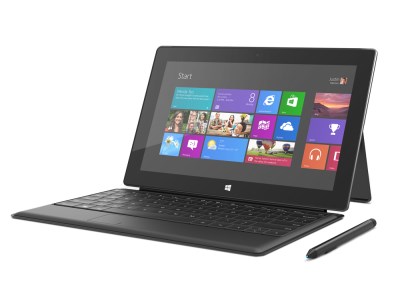
Just a quick update — the Windows Store has an updated version of eWallet for Windows 8/RT that includes several fixes including: better drawing of graphics for the Surface Pro, ability to launch this version from a .wlt file, and some minor bug fixes. Thanks as always for your feedback and keep it coming!

SurfaceTypecover_Web40

Share this:

  • Click to share on X (Opens in new window) X
  • Click to share on Facebook (Opens in new window) Facebook
  • Click to share on LinkedIn (Opens in new window) LinkedIn

Filed Under: eWallet, Microsoft

  • « Go to Previous Page
  • Page 1
  • Interim pages omitted …
  • Page 7
  • Page 8
  • Page 9
  • Page 10
  • Go to Next Page »

Primary Sidebar

Archives

Categories

RSS Feed

RSS feed

Mobile Blogs

  • Android News
  • Laridian
  • Mobile Opportunity
  • WebIS Blog

News

  • Android News
  • Apple Newsroom
  • Windows Blog

Copyright © Ilium Software Inc. | All Rights Reserved. | Contact Us