General

What's Next Windows Mobile?

by Marc

Despite all the iPhone posts around here lately, I’m still a big fan of Windows Mobile. For that reason, I’ve been doing a lot of thinking about what is next for Window Mobile. What sort of plans does Microsoft have for the OS? Are they gearing it for the consumer market? Or are they only interested in enterprise? And what about rumors of a scalable version of the standard desktop OS that would run on a mobile device?

So if you’d like a little insight into the sort of things a software company thinks about as they decide on their future plans…read on!

In recent months Microsoft has been a little bit mysterious about Windows Mobile. (Perhaps they are taking a page from Apple’s book of marketing?) The result is that I’ve spent a fair amount of time puzzling over what the future holds for the Windows Mobile operating system. I do this in part, because I need to keep my finger on the pulse of the industry as I prepare to make decisions about the future direction for our company. The other reason is that, as I mentioned, I like the Windows Mobile OS and I’m just plain curious about it!

That said, here are a few of my musings…

Windows “Enterprise” Mobile: So maybe MS is planning to position themselves as the enterprise platform. I’ve seen quite a few of my friends who work for large corporations coming home with shiney new Windows Mobile devices to replace their BlackBerries. This makes a lot of sense since their desktop products already have a strong foothold in this area and their enterprise mobile solutions seem really strong. And you have to love the flexibility the OS gives you. If you need proof of this, the next time you’re in an Apple store, check out the handhelds the employees are using. They aren’t iPhones! :)

Windows “Touch” Mobile: Or maybe MS wants to go head-to-head with the iPhone as a core consumer device. They certainly offer a compelling alternative to people who want more control over their handheld computing experience. The question, of course, is whether MS can market this. It strikes me that MS has never had the greatest marketing team on the planet. Attempts to make their products “cool” end up looking like John Hodgman wearing a turtle neck and spouting “Hey, dude.”

Windows “Zune Phone” Mobile: I know how people feel about the Zune but MS does have a proven track record at breaking into markets “they don’t belong in.” Look at the XBox. It isn’t impossible that MS could come out with a really strong Zune Phone that offers people a choice. People like to comparison shop. If Microsoft can offer a feature set that is almost as easy to use as iPhone but with the flexibility we’ve come to expect from WM, this might work!

Windows “Mini-Desktop” Mobile: This is one that really has me intrigued. A little while back I read a blog that talked about a plan for the new desktop OS to be scalable. That is to say, the same core OS would function on a variety of device regardless of their hardware. This would be an amazing feat and if MS could pull it off it might be a first step towards a true “everywhere computer.” No more maintaing unique environments with separate software installations and constant compatability issues. Your desktop would be your handheld would be your laptop would be your web app. I’m sure that something like this is in the future, I just wonder if MS might be further along than we know?

So there you have it - my musings on Windows Mobile. Whatever the result, it looks good for us. Our application line up is universal making them equally suited for the enterprise environment or the individual consumer. And scalability is something we’ve been dealing with for the past 11+ years!

So what are your thoughts? Where do you think the Windows Mobile OS is heading?

Share this article:


eWallet for iPhone Answers III

by Marc

Well, I think this is going to be one of the last “answers” blog posts for a little while since we’re hitting the point where most questions have been addressed. If you still have a question though, definitely contact us! You can email our support folks at support@iliumsoft.com or call them M-F, 9AM to 4:30PM toll free at 1-888-632-5388. We’re always happy to personally answer any questions you have.

So, that said, here we go…

If I enter data now, will it be retained when the new version comes out?

Yes. Anything you enter now will be retained when the sync update is released. Changes will be synched with your desktop.

Isn’t there ANY way to stick a wallet on the device?

We haven’t found any shortcuts. Although some folks have said that you can do it if you jailbreak your phone, we don’t reccommend or suggest this! You can certainly try but as far as I know you are voiding your warranty and could have other problems. That’s why we won’t officially publish the details on how to do this. Sorry.

The problem is that Apple is VERY strict about how applications can interact, who can place files on the device, and where those files can go. They’ve got the phone locked down about as tight as you can lock it without making it unusable. The reason, of course, is security. If applications can’t stick files anywhere they like (or pull files from anywhere they like) you never have a malicious app that gets stuck where it shouldn’t be.

Unfortunately, this means that unless we come up with something clever before August, you’ll have to wait for sync to move your wallets over.

Can I be a beta tester on the iPhone?

Not yet, sorry. We can authorize a limited number of phones as test devices in-house but other than this there is no way to beta test an unreleased application. This is part of Apple’s system of controlling distribution. We’re still exploring possibilities and if we come up with a clerver way to support beta testing, we’ll definitely do it!

Where do I get a receipt for my eWallet iPhone purchase?

Apple will email it to you. In my experience it can take a few days.

Do you have a Search feature?

Not right now. Search will be available in a future update.

Do you allow customizable templates?

You can customize your cards (a LOT) but we don’t have template customizing yet. It’s coming, though.

Why is eWallet crashing?

We’ve never been able to get eWallet to crash here at Ilium Software, BUT we’ve crashed a LOT of our other iPhone applications. There is a bit of suspicion that there might be some sort of instability in the 2.0 OS that is causing this. We’re still exploring things on our end though to see if we can pin down anything we can do different. I’m sure Apple is doing the same on their end.

When will ListPro be out?

It will probably be at least a couple of months before ListPro is available on iPhone. We’re working on it though!

Why do you allow all those nasty reviews on the iTunes site?

We don’t have any control over that. We can complain as a standard user with the “Report a Concern” button but beyond that Apple is in charge of reviews.

Is there a help document?

Not yet. We like to think that eWallet for iPhone is pretty intuitive, but we’ve had a few requests for this so we’re working on one. In the meantime, we’re going to start adding many of the most common questions to our support database. (http://www.iliumsoft.com/site/support/kb/ )

Share this article:


eWallet for iPhone Answers II

by Marc

I’m sure you heard the news, but eWallet is finally in the AppStore! Over the last three days we’ve watched as eWallet raced up the charts and it is already one of the top 100 applications. Thank you to everyone for all your support during this time and thank you to everyone who ran out and bought a copy!

Now, let’s get on to the many questions we’ve been receiving about eWallet for iPhone! Some of these we’ve covered before so I apologize to our regular readers, but I want to make sure to cover all the bases.

And we’re going to try to answer every question, so if we didn’t anwer yours yet, we will, and if you have new questions, let us know!

SYNCHING, OLD WALLETS, AND BACKUPS

How do I move my data to the iPhone?

Within the next few weeks we will be releasing an update to eWallet that will support synchronization. At that time you can move all your existing wallets over to the iPhone. Sorry for the delay on this. No matter how we cut it, we weren’t going to get everything done by the AppStore release date so we decided we’d release the base application first and add sync with the update.

What about backing up my information?

The phone does this. I did a hard reset on my own phone to test it and iTunes does indeed backup everything on your phone, including your wallets. Once you’ve restored your phone (or restored a new one if you lost your current phone) all of your eWallet data is restored as well.

Will I have to sync to the Cloud?

No. In fact after our initial suggestion that this was the method we planned to use, we received so much feedback from folks saying “No! We want local sync!” that we’re implementing local sync first instead. The only limitation is that you will need a wireless network to synchronize your data. We still have big plans to support Cloud sync as well, but for August we’re focusing on the local sync solution.

Why can’t I just copy a wallet over to the phone?

Although eWallet is using standard .WLT files (the kind used on your Windows PC) Apple hasn’t been particularly open about letting applications move files back and forth. So far, we haven’t come up with a good way to do this directly. Our developers are pretty darn clever though, and if we find an “Apple legal” way we’ll happily let you know.

How much will the sync update cost?

Not a thing. It will be a free upgrade for anyone who owns eWallet for iPhone already.

PRICING AND (FREE) DESKTOP SOFTWARE

Why is the iPhone software $9.99 when for other platforms it is $19.95?

Apple doesn’t give us a way to provide a discounted price to existing users. As a result, we decided to choose a price that was comparable to the $10.00 add-on price that we’ve always offered to existing. I’m not sure if the software will always be $9.99 but we really didn’t want to charge our existing customers full price and this was the only way we could do it.

Is there a desktop version?

Yes, eWallet has a version for desktop. You can get all the details here:

http://www.iliumsoft.com/site/ew/ewallet.php

If you have eWallet 6.1 on your Windows PC, you will be eligible for a free upgrade to 6.1.1 which will incorporate a few minor changes to support iPhone synchronization.

Do I need different desktop versions for Windows Mobile/BlackBerry/iPhone/etc?

Absolutely not. One desktop version lets you synchronize with all of your mobile devices, other computers, USB drives, remote locations like FTP sites, and more.

I heard I can get eWallet for Windows desktop free!

UPDATE 09-19-08: This offer was only valid before the 6.1.2 sync upgrade came out. The upgrade went live in the App Store on September 7th, at which time this promotion ended. The desktop version of eWallet is $9.95 for all iPhone eWallet owners. You can find upgrade details here on our site.

That’s true! We feel pretty bad that we couldn’t have the sync component ready to roll on Day 1 so we’ve decided to make it up to you. Just email us (support@iliumsoft.com) a copy of your iTunes electronic receipt showing your eWallet purchase using the subject FREE DESKTOP EWALLET and we’ll send you download and unlock information for the Windows PC version of eWallet 6.1 at no charge. Or, if you already own eWallet 6.1 for Windows PC, use the subject FIVE BUCKS OFF and we’ll send you a discount code that will let you get $5.00 off your next purchase through the Ilium Software online store.

MAC OSX SUPPORT

Do you have a Mac version?

Not yet, but we’re working on it. We hope to have a version of eWallet for Mac available later this year.

Is there anything I can do in the meantime?

Unfortunately we don’t have a great solution for Mac users at this time, but we are working on some plans that might provide an interim solution while you wait for the true Mac version. We’ll keep you updated! And if you want to get emailed when we have Mac news, send an email to support@iliumsoft.com with the subject MAC UPDATES. We’ll make sure to let you know what is happening.

EVERYTHING ELSE!

Is there a trial version?

No. Unfortunately, AppStore and the iPhone don’t have a method for supporting trial version right now. We do have a demo video (about a minute and half long) that you can watch:

High Res (11 MB) Med Res (9 MB) Low Res (5 MB)

Don’t you have an iPhone site?

Absolutely! You can check it out here:

http://www.iliumsoft.com/site/iphone/products_ewallet.php

Looks great on your desktop or an iPhone.

Share this article:


eWallet's in the iTunes App Store

by Ellen

We’re there! Check it out! (Start iTunes and search for eWallet - I’ll get our links fixed later today.)

Thanks to everyone for their support. I’m on my way out right now, but will post more news and fix the links this afternoon. We’ll answer all the questions you probably have on Monday.

(And if anyone wants to repeat their nice comments in a review on the store - we always appreciate those too.)

Thanks again everybody,

Share this article:


Waiting for Apple

by Marc

Wow. If you think waiting for eWallet is painful out there, try being in here. We were really fired up for the big launch and now we’re just pulling our hair out wondering what is happening (and if you’ve seen pictures of me, additional hair removal is a serious problem in my case.) We were told that the app would appear by the 11th, talked to “thrice-removed from the actual AppStore” support personnel, emailed every person we can think of, and stared endlessly at the status screen willing it to change. Still, nothing.

All I can say is that we have a finished application that we think rocks and we REALLY wish Apple would hurry up and put it in the store. There is nothing wrong with the export approval (we’ve been doing this for awhile now - all paperwork is in order) so we can’t begin to guess (although we’ve tried) about what is wrong.

I’m not going to complain about Apple yet. I’m sure they are swamped. And let’s be honest, despite what a great device the iPhone is, Apple is a new-comer to the mobile software market. As the discussions about “Spam Apps”, name-change line jumping, and the uproar about the lack of trials shows, Apple is still learning.

And frankly, every reseller in the mobile market has things that drive developers crazy. We didn’t go into this thinking Apple would be perfect. For now, I’m happy to give them the benefit of the doubt. But Apple…get eWallet processed and into the store! You’re killing us over here!

Share this article:


eWallet for BlackBerry Preview

by Marc

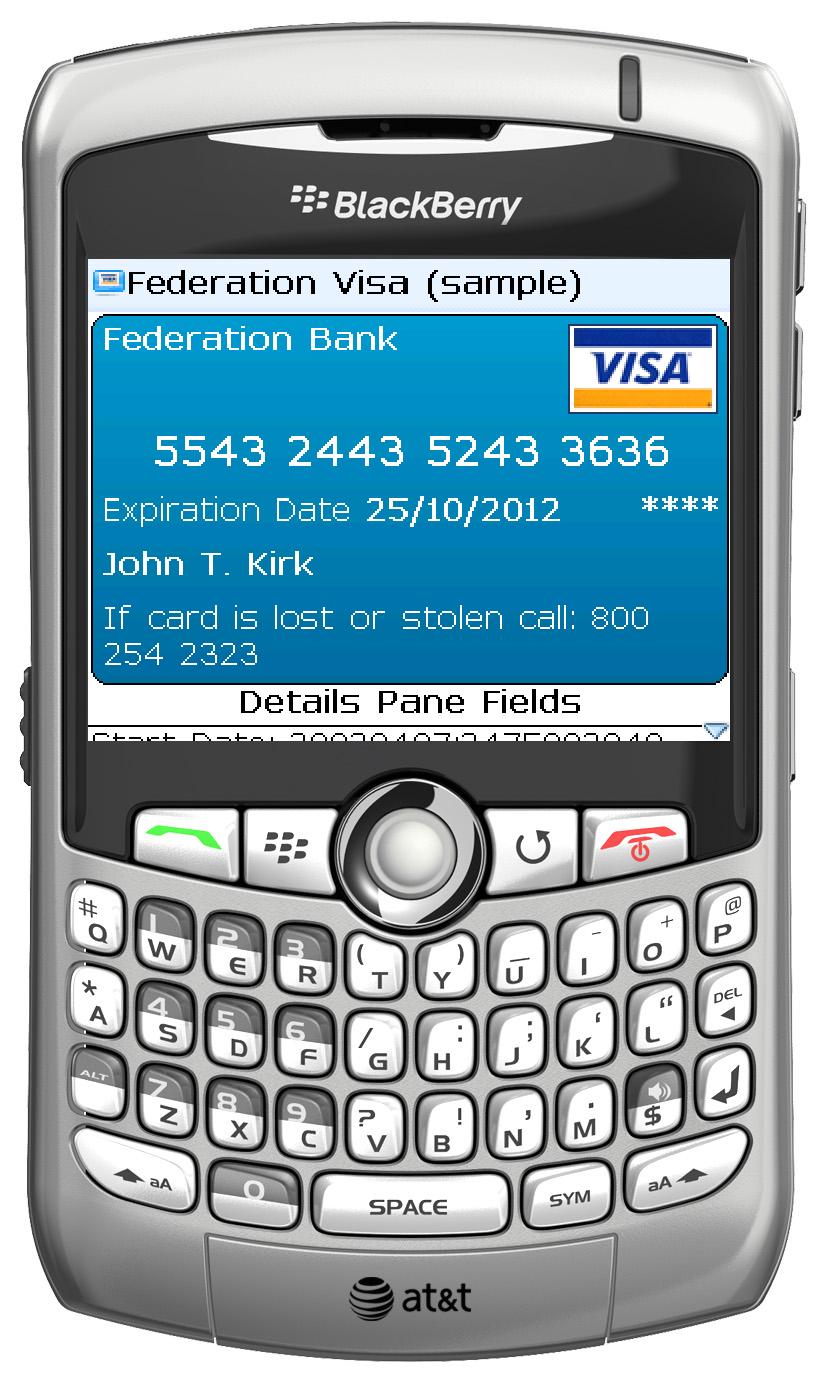
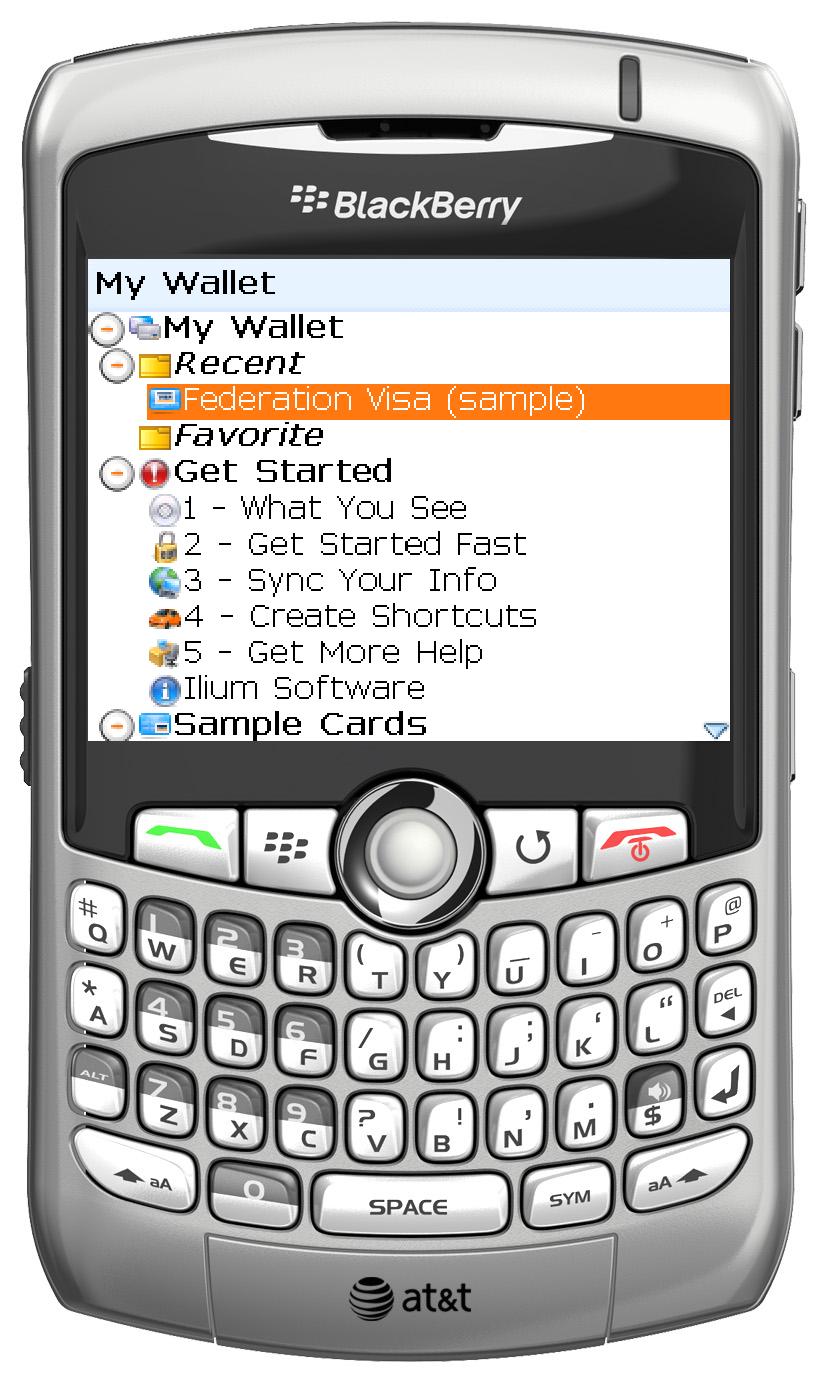
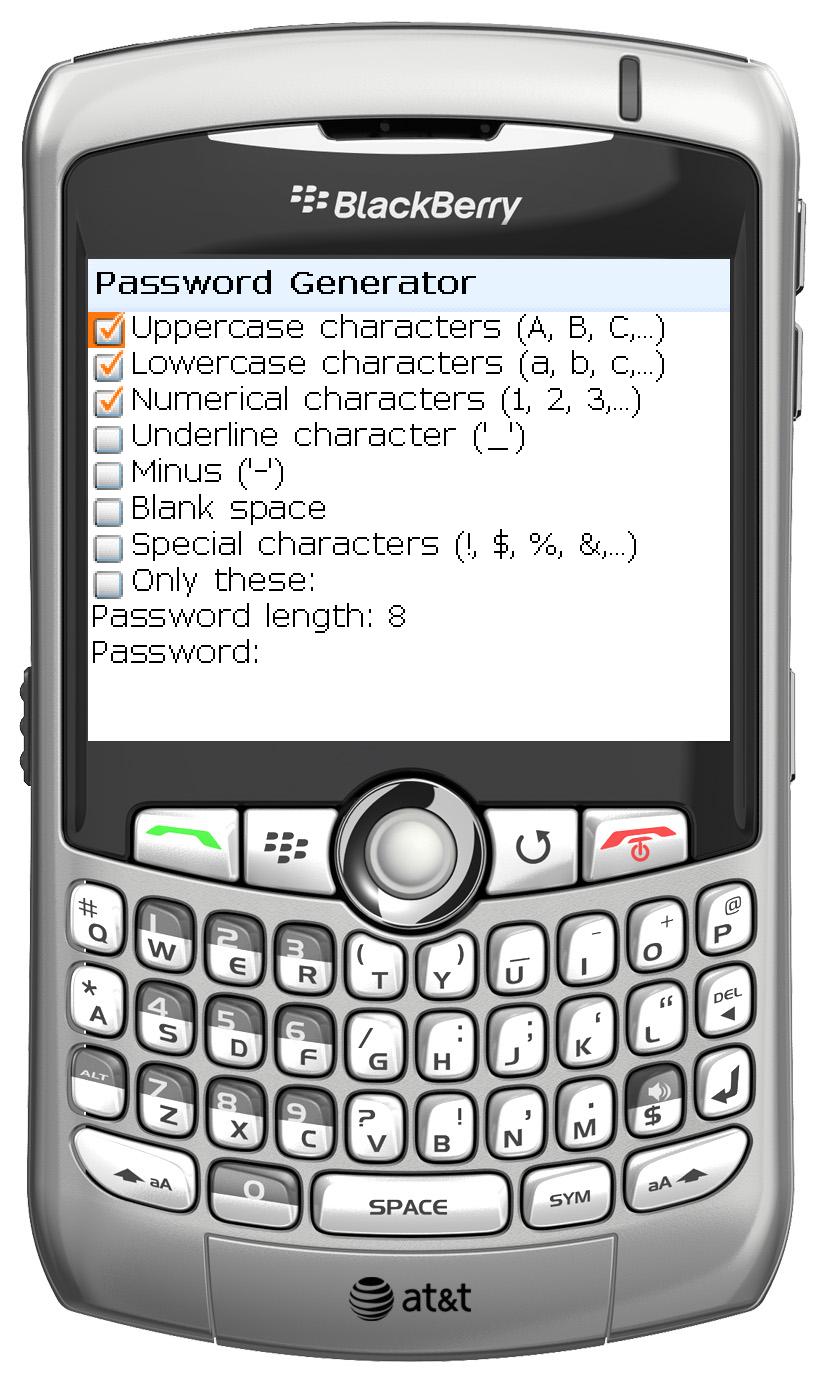
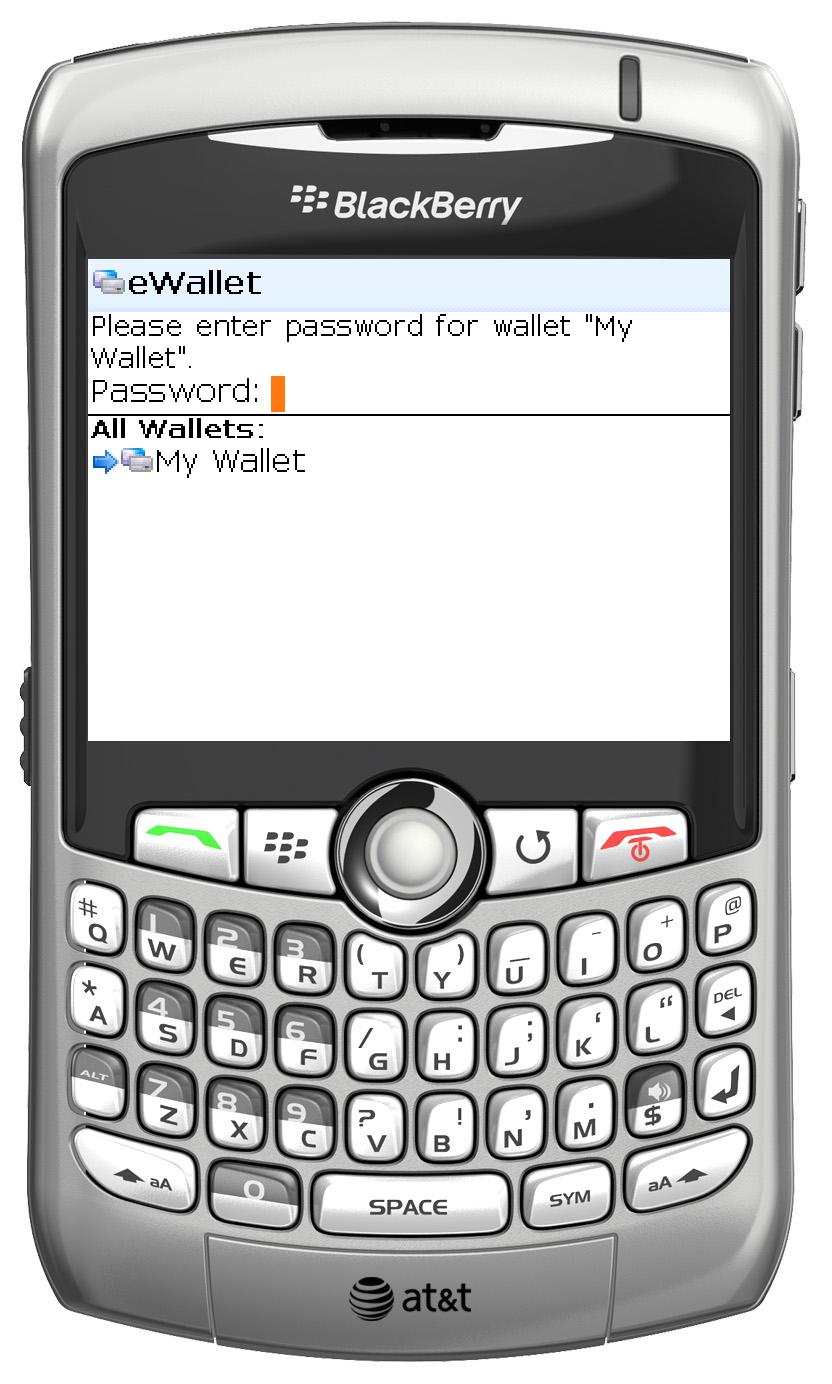
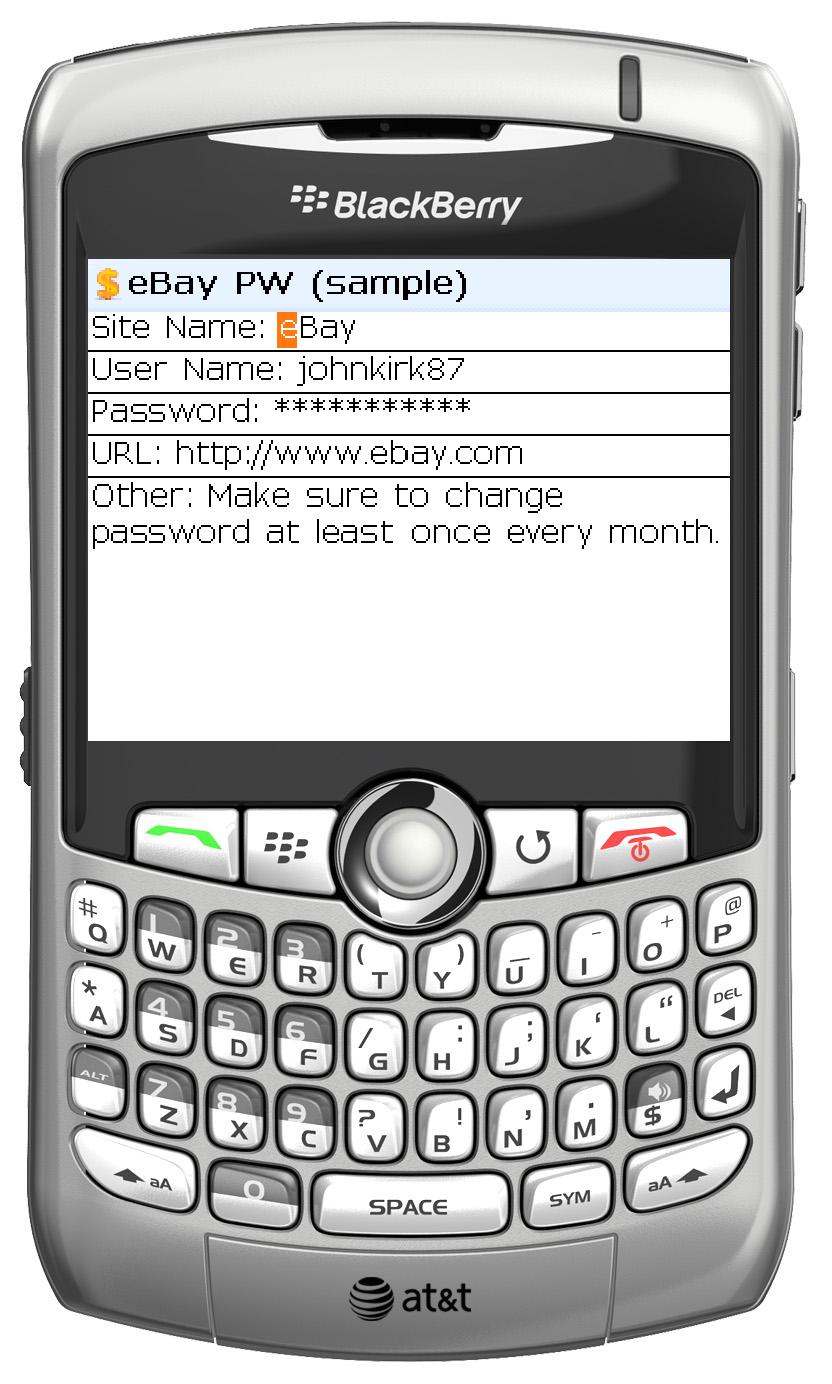
And here you thought all we thought about was the iPhone! Besides all the new improvements to eWallet on Windows, Windows Mobile, and Palm in eWallet 6.1, we’ve also been working with WebIS to bring you a BlackBerry version of eWallet. The BlackBerry version, which will be available sometime in the next few weeks, offers many of the same features you’ve come to expect from eWallet and full synchronization with the eWallet 6.1 Windows desktop software.

WebIS has done a fantastic job on this software. We think the BlackBerry users out there are going to be very happy with the results! We’re so excited that I figured I would post a few screenshots to give you a feel for the new software!

Click on the shots below for a larger image!

Share this article: