General

What's with the Windows bugs?

by Marc

Although most of the people who have upgraded to eWallet 7 on Windows PCare having no trouble at all, there are a few folks running into bugs. A few of these bugs are really frustrating and we’re not taking this lightly. We’ve got developers working non-stop on these and we hope to have an update in the near future.

Most of the people who are running into trouble are already working with Kevin, Lee, and myself on getting the issues ironed out but I wanted to just take a minute to explain why you are seeing bugs! Understanding the developer end of things may not make everything better, but it might help give some insight into what is going on.

I’m also going to mention a few of the bugs we’ve seen at the end of this post. One reminder, however…please send us email if you need support. We just can’t do it here in the blog comments!

That said…read on if you want the full story!

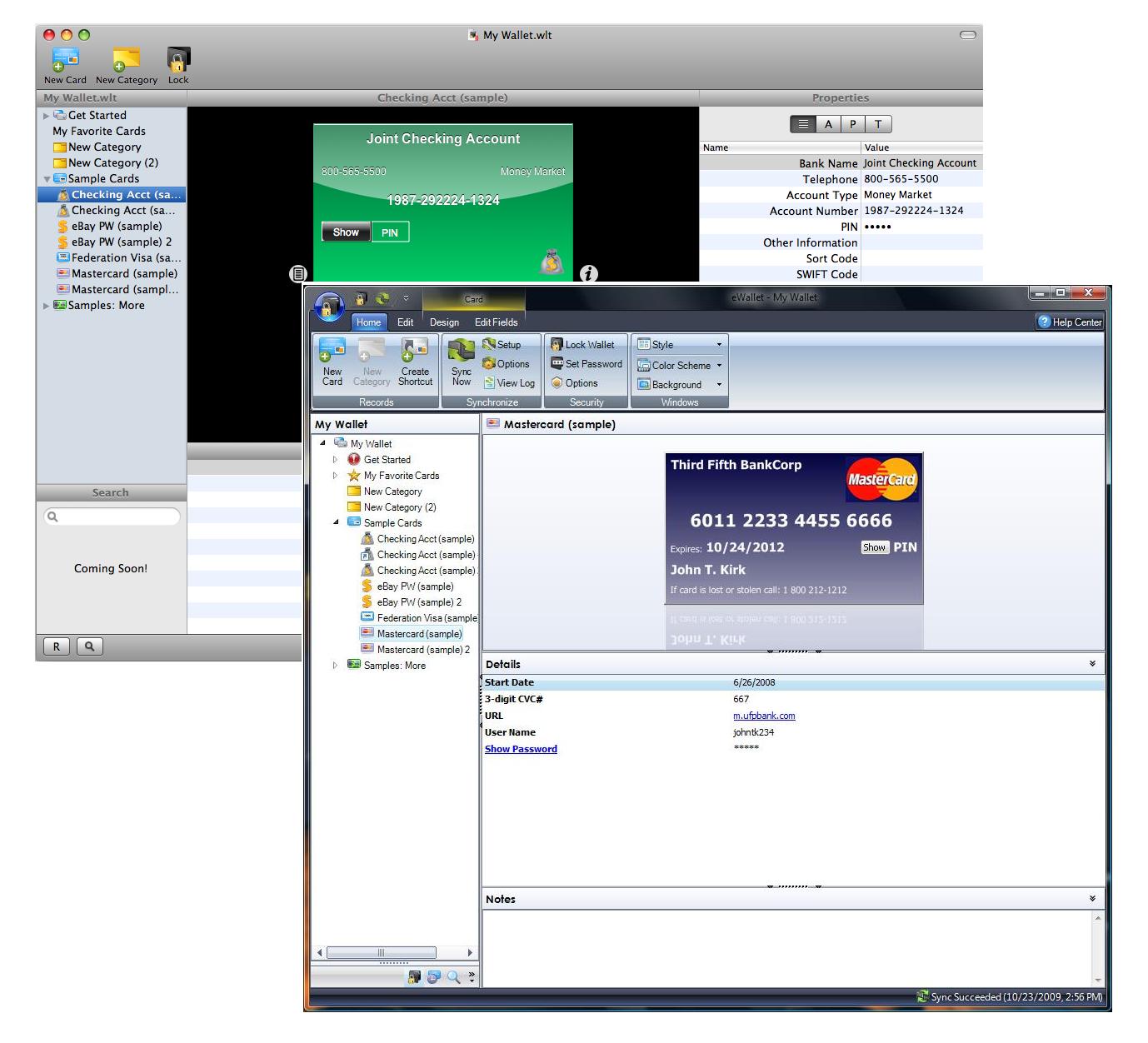
So what is so different about eWallet 7 on Windows PC? The underlying challenge is this…with eWallet 7 we literally rewrote every single piece of the eWallet program. The program you were all using before was over 10 years old and while the original code base was strong, it had some issues. None of that is left in eWallet 7. It’s a brand new application.

But why did you change it? First, it was rigid, meaning it was exceptionally hard for us to do things that people felt “should be easy to implement.” We needed flexibility so we could remain relevant going forward.

Second, it saw a lot of add-ons over the years. eWallet 6 was a LOT different (feature-wise) from eWallet 1. At some point, all that adding on takes its toll and makes it really expensive (in time and money) to improve the application.

Third, the user interface needed a major face lift. I know a lot of our long term users didn’t mind it (I kind of liked it!) BUT many old customers felt we weren’t keeping up with the times (and said so!) and for new customers it made it hard for us to compete (once they TRIED the apps they chose us, but in a screenshot to screenshot comparison it was tough for us!) Just sprucing up the old version wasn’t an option (see the first and second points!)

Didn’t you test this thing? Did we ever! We had over 100 people actively using eWallet for around two months straight. In addition, we’ve been using eWallet 7 in-house even longer than that! Plus we did all our usual automated and manual testing that we do with every release. So yes - we tested this - A LOT!

So how did bugs get through? Remember the part about rewriting the entire application? When you do that, no matter how carefully you test, it is impossible to find all the bugs. With Windows PCs there are literally an infinite number of installation and configuration combinations. There is NO WAY to test every condition. You test as many as you can and catch as much as you can, but you’ll never catch everything. It’s a mathematical impossibility.

Even now, with people helping us work on the bugs that have come up, many of these we can’t even replicate in-house. It is exceptionally difficult BUT we’re working on it and we will work these out. Believe it or not, the last version of eWallet had its problems - we worked through them and the same will be true here. We’ll do everything we can to help you in the meantime.

In the end it’s what we had to do… We knew we’d be facing challenges like this when we went into this. We had a 7.0.1 update release on the calendar prior to eWallet even going out. If we didn’t do this overhaul now, however, there would have been costs down the road. We had to bite the bullet and make it happen - it took a long time, a ton of work, and we’re working through some challenges now, but in the long run eWallet will be a better app for it and will be poised to serve you for the next decade.

So what is a customer to do? First, let support know what you saw by sending them an email. LOTS of people want eWallet 7 so we are getting slammed by questions, orders, and requests but we WILL answer you. If you don’t email us, however, we won’t know what is happening.

Second, if you’ve got one of the uglybugs and you decide you want to use eWallet 6 for now, that’s fine - just say so in the email and we’ll send you what you need.

Finally - talk to us! We really do want to make things right and we’ll do everything in our power to do so - so let us know what YOU need and we’ll work with you.

Sincerely, Marc

PS: Here are some things we know folks are seeing right now - Windows 7 Explorer Crashes: Can’t replicate this in-house but we’re working with some customers to figure out what is happening.

BSOD: Holy crap! A couple of people have seen really bad crashes - again, for the life of us we can’t replicate this but we’re working with some folks and will get this ironed out as well. The strange thing here is that we quite literally aren’t touching anything in Windows that should allow this! It’s nuts but we’ll figure it out!

Blank Text: Can’t see the text? We found that some customers using particularly high DPI settings are running into this. We have a solution we’re testing so hopefully we can get it into the next build.

Error 1010 On Sync: If something goes wonky during install (maybe from other programs running or something like that) it might damage your sync partnership. If that happens just delete the partnership from sync setup and re-add it. You should be all set!

These are a few that I wanted to mention just because they are the most likely to make you nuts if you get them! As I said - most people aren’t having any problems - seriously, we’ve got thousands of people using eWallet 7 now and only a handful see these - these bugs suck - we know - but odds are you won’t see them…and again…IF YOU DO, PLEASE EMAIL US! We can’t do support on the blog. It just isn’t setup for that!

Share this article:


eWallet 7 Released! (Update 2)

by Marc

walletHey, everyone! The response to eWallet 7 is overwhelming. Thank you to everyone for your excitement about this new version of our flagship product! (If this is the first you’ve heard of the release of eWallet 7, definitely check out the post here that gives all the details!)

And I’d like to repeat something: a special “THANK YOU” to everyone who has gone to iTunes and either added a positive review or updated a review! We really appreciate that!!! Honestly - I can’t thank you enough - around here we DO NOT feel that posting positive reviews as a customers “job”, so we see every positive review as a kindness - thank you again!

On to the updates! The biggst update is this:

We fixed the BlackBerry unlock issue and the eWallet Crash for Non-English Windows Installations!

If you download the latest version from our site you’ll get the fix! Again - VERY sorry for the trouble there - like I said - rewrite an application from the ground up and you’re going to hit some snags.

If you want the rest of the details (some of which are repeats that I want to keep around for new visitors to the blog), read on after the jump!

“I updated iPhone. Do I have to update Windows PC?” NO! Just because you updated your iPhone version to eWallet 7, you are not required to upgrade your desktop version. We hope you will, but if you don’t want to, you can download a special version of eWallet 6 (eWallet 6.2) here that will let you keep using the older version with eWallet 7 on your phone. NOTE: If you installed eWallet 7 - please uninstall it before installing this special build of eWallet 6.
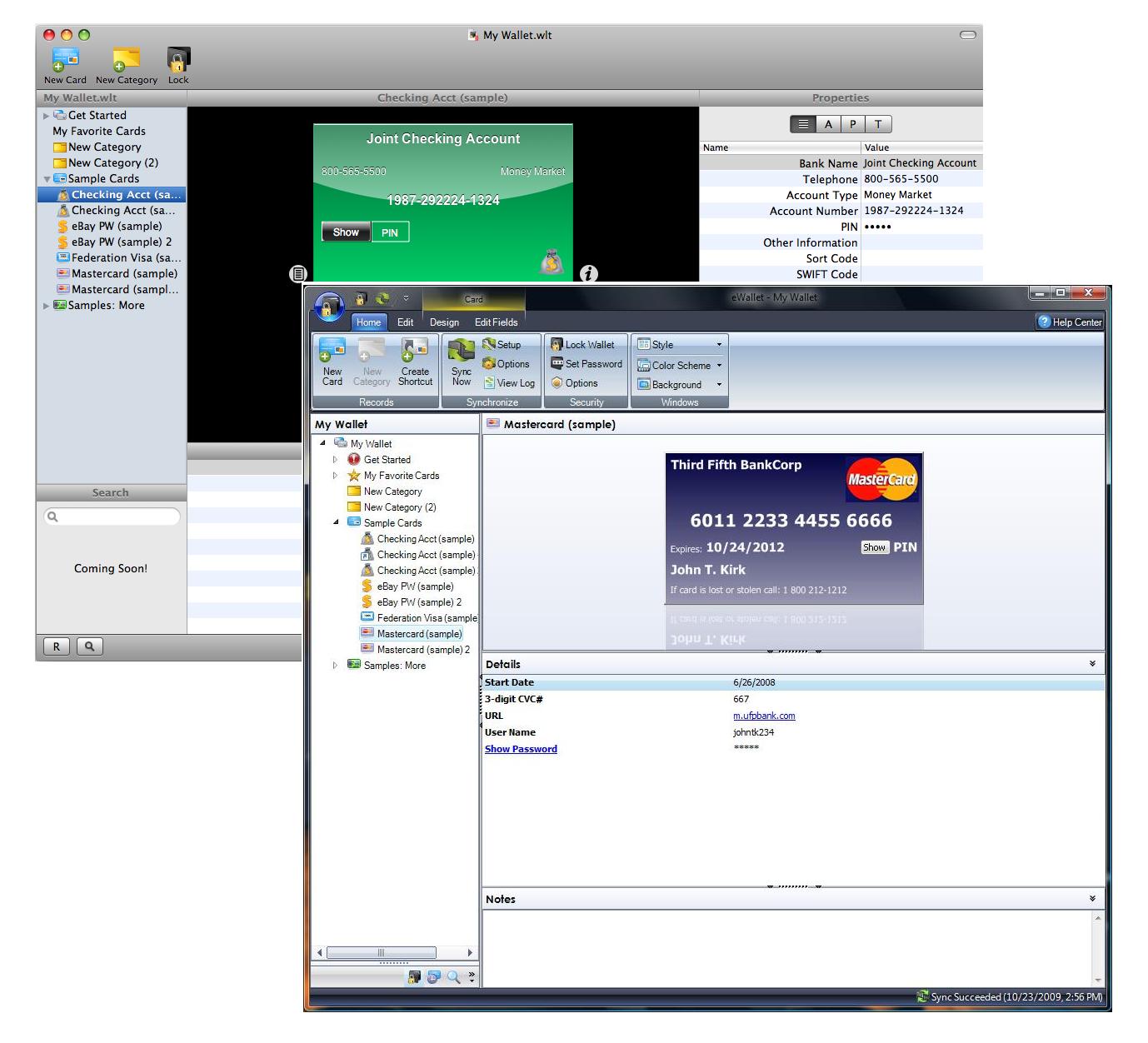
“eWallet on Windows PC Crashes When I Start It!” We’ve resolved this problem and we’re very sorry to those who ran into it. You can download the latest version from our site to fix this!

“My BlackBerry Unlock Codes Don’t Work!” We’ve resolved this problem and we’re very sorry to those who ran into it. You can download the latest version from our site to fix this!

“Sync Isn’t Working After I Upgrade” We aren’t seeing a lot of this, but certain events on the PC can cause problems with the sync partnership. A really simple solution to this is to just delete the sync partnership from Sync Setup and then add it again. Not the most graceful solution but if you want something quick and easy that’s the route to go!

“When Will Support Call/Email Me Back?” As soon as they can. To give you some perspective of what we’re dealing with - since the release of eWallet 7 we doubled our one day sales record. Yeah - things are a little busy here. :) We are working as quickly as we can and we will contact everyone - unfortunately it may take a couple of days. In the meantime, please watch the blog! I’ll post updates like this to help folks that are running into common issues so you don’t have to wait!

“When will the full Mac version be out?” As before, we have not set a date. We are continuing to work on it and will let everyone know when there is more news we can share. Please note that the 30 day preview is limited simply because unlimited use is part of the complete eWallet package - not because eWallet will be out in 30 days. Again - we’re working as fast as we can on the Mac version but we haven’t set a release date.

“Where do I send Mac comments/requests/bug reports?” Send them to info@iliumsoft.com with the subject heading of “Mac Report”. We’ll take all of these, put them into a mailbox, and go through each and every one once we get past the release! Thanks!

“Where do I get the Palm OS/U3 version of eWallet 7?” Unfortunately we’ve had to discontinue support for both of these platforms. The demand for these versions was so low that it just wasn’t financially possible to keep producing upgrades for them. We’re very sorry that we can’t offer solutions for these platforms at this time.

“When Will I Get an Upgrade Email?” We’ll send out upgrade emails starting next week. The entire process takes 5-7 days (we have a LOT of people to contact!) If after that time you still haven’t heard from us, please drop us a line!

That’s it for this update! If there is more new information I’ll post again tomorrow!

Thanks Everyone!

-  Marc

Share this article:


eWallet 7 Release Update!

by Marc

walletHey, everyone! As I mentioned in a previous post, this is the biggest release we have ever undertaken and it is extremely exciting. The response we’re getting from customers is phenomenal. Thank you to everyone for your kind words and support! (If this is the first you’ve heard of the release of eWallet 7, definitely check out the post here that gives all the details!)

And a special “THANK YOU” to everyone who has gone to iTunes and either added a positive review or updated a review! We really appreciate that!!! Honestly - I can’t thank you enough - around here we DO NOT feel that posting positive reviews as a customers “job”, so we see every positive review as a kindness - thank you again!

Needless to say, a release of this type is bound to have some hiccups and this one is no different. The following are issues we are currently working on or frequently asked questions. For all the details, read on after the jump!

“I updated iPhone. Do I have to update Windows PC?” NO! Just because you updated your iPhone version to eWallet 7, you are not required to upgrade your desktop version. We hope you will, but if you don’t want to, you can download a special version of eWallet 6 (eWallet 6.2) here that will let you keep using the older version with eWallet 7 on your phone. NOTE: If you installed eWallet 7 - please uninstall it before installing this special build of eWallet 6.

“eWallet on Windows PC Crashes When I Start It!” We’ve discovered that some customers that are using non-English versions of Windows are running into this problem. We’re working on it right now and we’ll keep you updated on the progress. We are very sorry for any trouble this is causing and we hope to have an update soon! This problem is resolved!! We are testing the installers now and hopefully we can have this out by morning! “My BlackBerry Unlock Codes Don’t Work!” This one is fixed and we’re in the process of rolling out a new version of eWallet for BlackBerry this morning. You can get it here when it is released (I’d suggest sometime after 3:00PM ET. UPDATE: Since we fixed the foreign language issue, we’re relasing this update along with that one in a single release tomorrow morning! “When Will Support Call/Email Me Back?” As soon as they can. To give you some perspective of what we’re dealing with - since the release of eWallet 7 we doubled our one day sales record. Yeah - things are a little busy here. :) We are working as quickly as we can and we will contact everyone - unfortunately it may take a couple of days. In the meantime, please watch the blog! I’ll post updates like this to help folks that are running into common issues so you don’t have to wait!

“When will the full Mac version be out?” As before, we have not set a date. We are continuing to work on it and will let everyone know when there is more news we can share. Please note that the 30 day preview is limited simply because unlimited use is part of the complete eWallet package - not because eWallet will be out in 30 days. Again - we’re working as fast as we can on the Mac version but we haven’t set a release date.

“Where do I send Mac comments/requests/bug reports?” Send them to info@iliumsoft.com with the subject heading of “Mac Report”. We’ll take all of these, put them into a mailbox, and go through each and every one once we get past the release! Thanks!

“Where do I get the Palm OS/U3 version of eWallet 7?” Unfortunately we’ve had to discontinue support for both of these platforms. The demand for these versions was so low that it just wasn’t financially possible to keep producing upgrades for them. We’re very sorry that we can’t offer solutions for these platforms at this time.

That’s it for this update - I’ll post another one tomorrow as I compile more comments, requests, and questions and have new information.

-  Marc

Share this article:


eWallet 7 Is Now Available!

by Marc

walletWe are extremely excited to announce that eWallet 7 has just been released. Not only does eWallet 7 include a completely revamped Windows PC version, a working preview of eWallet for Mac, and a host of new features, we’re working to create a new approach to selling mobile software.

Also - if you’re just coming back to the blog, make sure to read the update at the bottom of the post!

For the full story on eWallet 7, read on after the jump…

Software is for People, Not Devices I love the new features in eWallet 7, but I’m going to start with something that I think is the biggest news. With the release of eWallet 7 we’re reshaping the idea of how people buy mobile software. For years there has been an idea that you buy software for your mobile device. This doesn’t make sense to us. People aren’t buying the software for the device. The software is for the person. That’s why with eWallet 7 we’ve completely re-imagined how you buy the product.

Now, for $19.95, you can use eWallet on any device we support. No extra versions. No extra purchases. When you buy eWallet it’s for you - not your device. This is true even for iPhone users (see the information here for details on how this works for iPhone.)

And for our existing customers, upgrading just got better (and cheaper!) For just $10.00 you can use the latest version of eWallet on your Windows PC, Windows Mobile device, or BlackBerry, and get full access to the Mac Preview.

A New Desktop Version The next big news is that we’ve rewritten eWallet for Windows PC from the ground up. With eWallet 7, the Windows PC version is easier to use than ever before, offers more options for customization, brings you some great new features, and looks amazing. We even included a way to get the Old School eWallet feel for folks who aren’t ready for a big change!

eWallet for Mac Preview With eWallet 7 we’re also releasing a special 30 day preview of eWallet for Mac. It doesn’t include everything, but this special preview edition is ready for you to try. We even built a special tool into the iPhone version that  lets you manually transfer files from your iPhone to your Mac so you can try it with your own wallets!

And if you’re an owner of the complete eWallet package, use your eWallet registration codes to unlock the Mac Preview for unlimited use!

Image Synching and More… And that’s not all…eWallet 7 adds a number of other new features as well, including synching for inserted background images. Now, you can create an amazing wallet on your desktop complete with background images and sync it over to your iPhone or Windows Mobile device where you’ll get the same, great looking wallet!

What Do You Need to Do? We’ll be sending out upgrade notifications over the next week with all the information you need to get eWallet 7. If you purchased within the last 90 days, we’ll upgrade you to the full eWallet package at no charge. If you purchased before that time, it’s just $10.00 to upgrade the entire package.

iPhone customers will get the upgrade to eWallet 7 for free, but please be aware that if you purchased the desktop version more than 90 days ago, you will need to pay for the upgrade if you wish to use the eWallet 7 Windows PC version.

And if you use the iPhone and DON’T WANT TO UPGRADE your desktop software, we have a special version of eWallet 6 that you can use. Read all about it here! RELEASE UPDATE 12-1-09 As you can probably tell this is a HUGE release. We’ve changed more things in more places than we ever have in any release of our software ever. We aren’t surprised to hit a few bumps along the way. SO here is what I can offer as far as how things are going!

People Love It! OK, I couldn’t resist mentioning this - in part as a pat-on-the-back to all the folks who have busted their tails on this project here at Ilum Software. Thank you to EVERYONE OUT THERE who has been emailing and posting compliments about this release. It’s great to hear so many positive comments!

Non-English Windows Installs: It looks like some folks running non-English installs of Windows are getting errors when they run eWallet 7. We are working on this as we speak and getting very close to discovering why this is happening!

BlackBerry Unlock Codes: We’ve also had some folks hitting snags when they try to register their BlackBerry version. Again - we’re working on this and will keep you updated.

Support Calls and Emails: We WILL respond to everyone, but right now Lee and Kevin are absolutely swamped - mostly good stuff but still swamped all the same - we apologize for the delays but at this stage we’re going as fast as we can. SO we’ll try to post on the biggest issues here on the blog and will try to get through all the request for support before the week is out. Sorry for the wait and thanks for your patience!

iTunes Reviews: We totally understand the frustration a lot of folks felt over the trouble with the iPhone update and we’re really sorry for the grief it caused. Even though we provided a fix, I imagine that not all of that has disappated - HOWEVER - if you feel so inclined to either provide us with a positive review OR improve a negative one, we would REALLY appreciate it. We’d really like folks to know that when something goes wrong we don’t just sit back and ignore it - I really hate asking for reviews but in this case we’d really appreciate the support if you feel so inclined. Thanks!

And that’s it for now! We’ll keep you updated as we go. It’s an exciting time here and I think as the year progresses you’ll find that this is just he beginning!

- Marc

eWallet2

Share this article:


eWallet 6 to eWallet 7 iPhone Sync Compatibility

by Marc

oopsAs some of you know, we made a bit of a screw up in our wording of the iPhone Sync Update message (we apologize for that - it wasn’t our intent to mislead anyone). As a result, our developers leaped into action and busted out a special build of eWallet 6 for Windows PC that lets you synchronize eWallet 6 on the Windows PC with eWallet 7 on the iPhone.

What Is It? A special version of eWallet 6 that lets you synchronize eWallet 6 on the Windows PC with eWallet 7 on the iPhone.

How Does It Work? Just download the file here and run the installer. If it asks for your registration code, your eWallet 6 codes should work. If you don’t have your eWallet 6 codes any longer, you can request them here. IF YOU INSTALLED eWALLET 7 FOR DESKTOP, UNINSTALL IT FIRST. Who Need It? ONLY iPhone users who own eWallet 6 on the desktop and do not want to upgrade their desktop software to eWallet 7 need this. If you are upgrading to 7 or don’t own an iPhone. You do NOT need this.

So there you go! Hopefully this will help out the folks who got stuck with eWallet 7 on their iPhone. I’m pretty sure most people will want to upgrade to eWallet 7, but at least this way you’ve got a choice!

Thanks and sorry for the trouble!

Marc

PS: We did a bunch of testing and believe this should work fine, but please let us know ASAP if you run into any trouble! We’ll work on any issues immediately.

Share this article:


eWallet 7.0 - Updates and Answers

by Marc

eWallet2I’m in the middle of a major software release right now so I’ll make this quick. I apologize that I can’t respond to all your comments individually, but considering how many of them there are, that simply isn’t possible. So - let’s get started…

Thanks! First let me say thanks to everyone who posted their support. We really appreciate it and we are working very hard to live up to your expectations. The new release is a pretty big deal and I think you’ll all like it. In fact I think you’ll REALLY like it. So thanks for your kind words and we hope you like eWallet 7.0!

eWallet 7.0 Will Be Out Tuesday eWallet 7.0 will be out tomorrow morning. This was the planned release date all along and we’re sticking to it.

More after the jump!

Why Did iPhone Come Out First? Ask Apple! Our last update took 4 weeks to get approved. This one? 4 days. Seriously. We wanted them to come out pretty close (or at least have the desktop version out first) and we thought our timing was pretty good but once again Apple proved us wrong. What can I tell you - we’re at their mercy on this and we have absolutely zero control over when they release our software. It sucks. They should let us choose a date to go live once they approve it.

I Have to Pay to Upgrade? As it says in the update notes for iPhone version, the upgrade to eWallet 7.0 on desktop may be a paid upgrade if you purchased more than 90 days ago. The price is going to be our usual $10.00 upgrade price, but with this release you’re getting something extra as well. More on that tomorrow.

I Don’t Want to Pay to Upgrade! If you don’t want to upgrade, then you don’t have to. We’ll continue to support our previous versions just like we always have. Heck – we’ve got a couple of eWallet 2.0 users we still take calls from now and then. So if you fall outside the 90 days and you don’t want to pay to upgrade, feel free to keep using the previous version.

I Already Upgraded My iPhone and Don’t Want to Pay to Upgrade! I’m sorry. We made it extremely clear in the upgrade information that you may be required to purchase an upgrade to the desktop version. I’m very sorry if you didn’t read that before you upgraded. Update information really is very important and worth reading.Although Apple doesn’t provide you with any way to backup to an older version (although they should) there are some work-arounds out there in google searches. Here is one that Pierre posted in the blog comments here:

You can revert back to your iPhone e-wallet version 6. You need to look at your Recycle bin and check for ewallet.ipa. It should be 2.8meg. Delete your version 7 in iphone and itune. Double click ewallet.ipa and reconfigure sync. Back to normal.

Keep in mind that this is a non-supported function. I can make no promises about how well this will work. UPDATE: OK, so in talking to folks we discovered that our perfectly clear message was anything but. In fact it was a bit misleading. Please check out the NEXT blog post for an update on that - we’re working very hard on a solution to help out folks who are having trouble now or who don’t want to upgrade. Again, sorry about that! Just Send Me the Old Version If I send you the old version today, we’ll be kicked off the AppStore tomorrow and there won’t be an eWallet for iPhone. Apple won’t let us do that. Period. In fact they don’t even give us a way to get software onto your device outside of iTunes.

You Shouldn’t Charge For Upgrades! Not charging is not a sustainable business model for a product like eWallet. New sales alone don’t cover the costs for development of major changes in functionality. We have to charge for upgrades.

You Should Have There was lots of advice in the blog comments. Some constructive - some not. I can’t answer all of them here but we thought - carefully - through pretty much every idea you posted. For any number of reasons they wouldn’t work, with reasons ranging from the limits of the AppStore to economic suicide. We truly did choose what we believed was the best possible path for this process in an environment where we have less and less control over that very same process.

Mac? Mac? MAC!!?? I’ve got something for you - not exactly what you’re expecting but I think you’ll like it! Check back tomorrow!

Share this article: