Our Products

eWallet 7.0 - Updates and Answers

by Marc
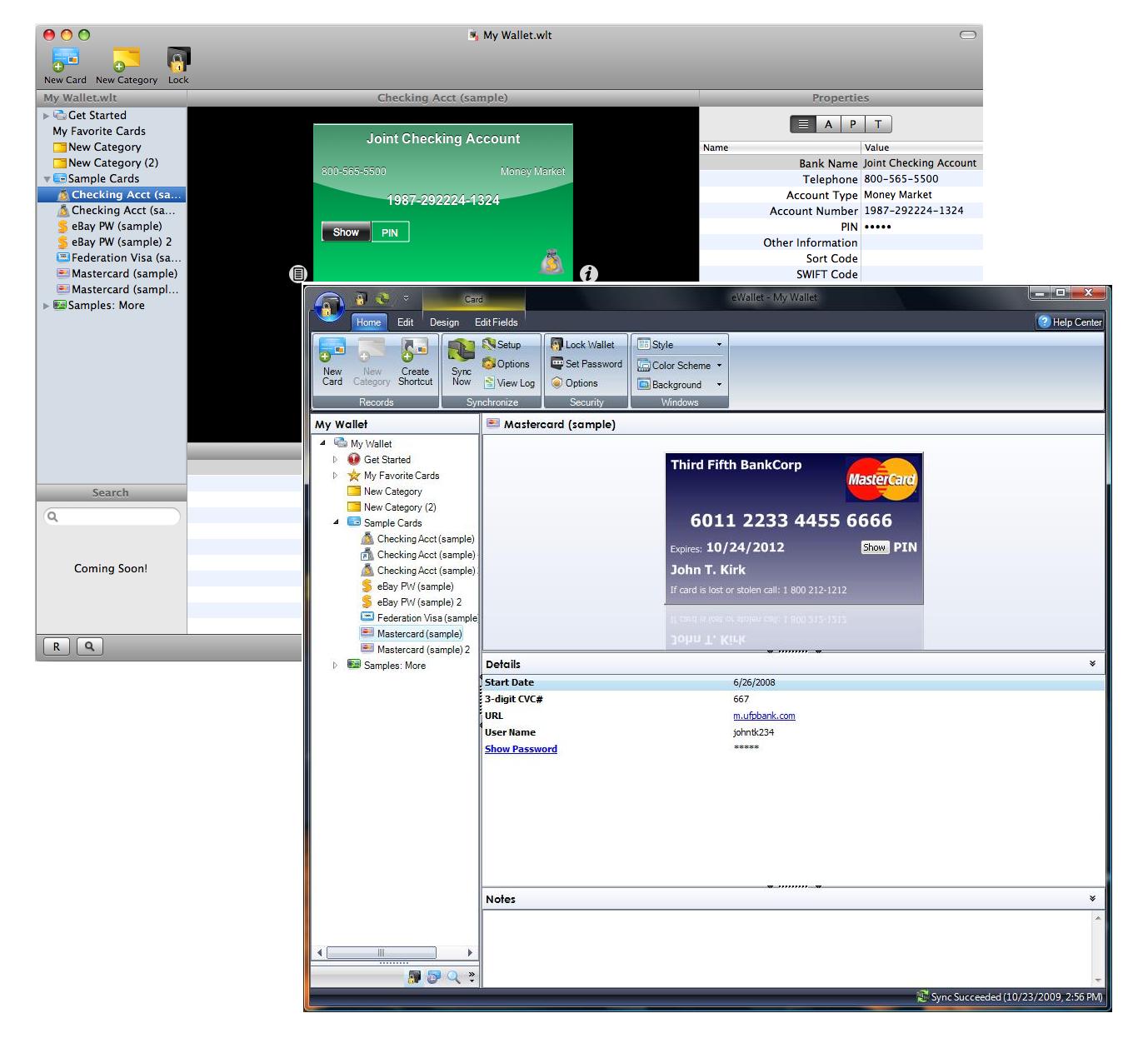
eWallet2I’m in the middle of a major software release right now so I’ll make this quick. I apologize that I can’t respond to all your comments individually, but considering how many of them there are, that simply isn’t possible. So - let’s get started…

Thanks! First let me say thanks to everyone who posted their support. We really appreciate it and we are working very hard to live up to your expectations. The new release is a pretty big deal and I think you’ll all like it. In fact I think you’ll REALLY like it. So thanks for your kind words and we hope you like eWallet 7.0!

eWallet 7.0 Will Be Out Tuesday eWallet 7.0 will be out tomorrow morning. This was the planned release date all along and we’re sticking to it.

More after the jump!

Why Did iPhone Come Out First? Ask Apple! Our last update took 4 weeks to get approved. This one? 4 days. Seriously. We wanted them to come out pretty close (or at least have the desktop version out first) and we thought our timing was pretty good but once again Apple proved us wrong. What can I tell you - we’re at their mercy on this and we have absolutely zero control over when they release our software. It sucks. They should let us choose a date to go live once they approve it.

I Have to Pay to Upgrade? As it says in the update notes for iPhone version, the upgrade to eWallet 7.0 on desktop may be a paid upgrade if you purchased more than 90 days ago. The price is going to be our usual $10.00 upgrade price, but with this release you’re getting something extra as well. More on that tomorrow.

I Don’t Want to Pay to Upgrade! If you don’t want to upgrade, then you don’t have to. We’ll continue to support our previous versions just like we always have. Heck – we’ve got a couple of eWallet 2.0 users we still take calls from now and then. So if you fall outside the 90 days and you don’t want to pay to upgrade, feel free to keep using the previous version.

I Already Upgraded My iPhone and Don’t Want to Pay to Upgrade! I’m sorry. We made it extremely clear in the upgrade information that you may be required to purchase an upgrade to the desktop version. I’m very sorry if you didn’t read that before you upgraded. Update information really is very important and worth reading.Although Apple doesn’t provide you with any way to backup to an older version (although they should) there are some work-arounds out there in google searches. Here is one that Pierre posted in the blog comments here:

You can revert back to your iPhone e-wallet version 6. You need to look at your Recycle bin and check for ewallet.ipa. It should be 2.8meg. Delete your version 7 in iphone and itune. Double click ewallet.ipa and reconfigure sync. Back to normal.

Keep in mind that this is a non-supported function. I can make no promises about how well this will work. UPDATE: OK, so in talking to folks we discovered that our perfectly clear message was anything but. In fact it was a bit misleading. Please check out the NEXT blog post for an update on that - we’re working very hard on a solution to help out folks who are having trouble now or who don’t want to upgrade. Again, sorry about that! Just Send Me the Old Version If I send you the old version today, we’ll be kicked off the AppStore tomorrow and there won’t be an eWallet for iPhone. Apple won’t let us do that. Period. In fact they don’t even give us a way to get software onto your device outside of iTunes.

You Shouldn’t Charge For Upgrades! Not charging is not a sustainable business model for a product like eWallet. New sales alone don’t cover the costs for development of major changes in functionality. We have to charge for upgrades.

You Should Have There was lots of advice in the blog comments. Some constructive - some not. I can’t answer all of them here but we thought - carefully - through pretty much every idea you posted. For any number of reasons they wouldn’t work, with reasons ranging from the limits of the AppStore to economic suicide. We truly did choose what we believed was the best possible path for this process in an environment where we have less and less control over that very same process.

Mac? Mac? MAC!!?? I’ve got something for you - not exactly what you’re expecting but I think you’ll like it! Check back tomorrow!

Share this article:


eWallet for iPhone with Copy!

by Marc

ewi_bigneWallet for iPhone now lets you Copy your passwords and other information directly from the card face and FlexView. With this new update, you can tap and hold on any Card Face or FlexView text, and eWallet will pop up a Copy button. Click the button and the information from that field gets copied to the clipboard.

From there you can paste the information into Safari, Contacts, other cards, or any other application on the device that supports copy and paste!

You can get the new version by checking for updates under Applications in iTunes on your desktop or from the App Store on your iPhone and iPod touch!

photo

Share this article:


NewsBreak Lite Free from Total Access

by Marc

IliumNewsbreak_56x56I was excited to see that NewsBreak Lite is now available for free from Microsoft’s Total Access service for Windows Mobile. NewsBreak Lite is the free version of our NewsBreak feed reader/podcast grabbing software. The app is great and the price is right so if you have a Window Mobile device you definitely want to grab a copy.

If you aren’t familiar with the Total Access service, here is the official blurb from MS:

Total Access is your guide to all the things you can do with your Windows Mobile phone. Make your phone unique with free ringtones, games and themes, find helpful software and other extras that further enhance your phone, and get premium help and support from user forums, so it’s easier than ever to get more done on the go—that’s Total Access.

It’s a pretty cool service for Windows Mobile users. Definitely something you want to check out even if you already have NewsBreak (or RSSHub which is the HTC branded version of NewsBreak.) They have a ton of great stuff and are adding more all the time.

Share this article:


Apples2Oranges: Now Just 99 Cents!

by Marc

a2o_logo512Haven’t tried Apples2Oranges? Well now is your chance! We’ve just reduced the price to 99 cents!

Now I know this is unlikely, but there just might be some folks who don’t know what Apples2Oranges is. Let me explain it this way…it’s frustrating to figure out different conversions in your head - impossible if you’re looking at units you aren’t familiar with. You can waste lots of time standing in the store with two different packages in your hands, trying to do the math on which is a better deal, or which has fewer calories per serving.

Now you don’t have to waste time or worry about getting the math wrong. Just pull out your iPhone and get the answer in a few taps with Apples2Oranges™ - a quick and easy price comparison and unit conversion app from Ilium Software, available for your iPhone™ or iPod® touch.

Get your copy of Apples2Oranges today!

(Added note by Ellen: Anyone who buys or has bought Apples2Oranges - please consider adding a review of it to iTunes. We’re fairly sure that reviews help our search ranking, which in turn helps sales. We know a lot of people find Apples2Oranges useful, but more reviews would help even more people find it. Thanks!)

Share this article:


Mac eWallet

by Marc

mac_logo147That get your attention? Thought so! Well, Mac eWallet isn’t out yet but it is being worked on. After the latest in a long line of challenges getting this project finished, I’ve pulled the project back in-house (it had been assigned to contractors). We now have one of our in-house developers assigned to the project full-time.

I still can’t tell you too much about it BUT I will offer a few tidbits. First, it looks every bit as good as the iPhone version of the software does. Second, it has a distinctly “Mac” interface - we didn’t just port over a copy of desktop eWallet - we know full well that you Mac folks have certain expectations and we’re doing what we can to meet those expectations. At the same time, the end result is something you’ll still recognize - one look and you’ll say “Hey! It’s eWallet!” Getting it that way was tricky but I think you’ll be please.

Of course not as pleased as actually GETTING it I imagine. I’m still hoping for a release mid-year, but that’s as close as I can get at the moment. We’ll keep you updated, though!

Share this article:


Apples2Oranges Now Available!

by Marc

Apples2Oranges, our latest iPhone application, is now available in the AppStore! Compare prices and nutritional information with a few simple taps! Whether you’re looking to save a few bucks or trying to drop a few pounds, Apples2Oranges offers an easy and fun way to do it!

We’re extremely excited about this one because it really is a first-of-its-kind release. There are other unit comparison apps out there, but nothing that really focuses in on one of the most common reason people buy those things. You can read all the official stuff in the product description and on our website, but I’ll give you my personal slant on this one.

First off, I can’t even tell you how many times I’ve sat there banging my head against the grocery store shelf trying to figure out whether the 12 pack of Big-K Cola is a better deal than the 24-pack of Coke. With Apples2Oranges you can figure it out in just a couple of quick taps!

One of my other favorite uses is measuring cholesterol content. At my last checkup my doc pretty much told me that my cholesterol is so high that the fact that I don’t exercise is the probably the only thing keeping me alive (OK, it wasn’t THAT bad but it wasn’t good.) Anyhow, now I’m constantly doing the “This one? Or this one?” thing at the store, reading the nutritional info on the sides of the box. But does ANYONE use the same serving sizes? Heck, no. Again, Apples2Oranges does the trick by letting me get an equal comparison even when the serving sizes are totally different. Thank you Apples2Oranges!

OK, enough infommercial. I really think everyone is going to like this one. It’s insanely useful and the team here did an excellent job on it. Not only that, but our art guys did a bang up job making it really darn pretty (I love the little gears. :) )

Apples2Oranges is available today in the iTunes AppStore for just $4.99. Just click here for a direct link to the official listing. You can also read about it on our web page here. Finally, I’ve included a few screenshots below so you can get a look at it ahead of time!

Enjoy!

Save Money With a Quick Compare!

Calorie Comparison Made Easy!

I Love the Gears! :)

Share this article: