While some of us continue to work remotely, some of you are enjoying an extended, albeit involuntary, “stay-cation”. Now that you’ve rearranged the garage, organized all of the cupboards and closets, and done an amazing spring cleaning, what’s left to do?
Organize your important information!
Have you been meaning to update that favorite password you use to log into ALL of your websites? By storing your logins in eWallet, you have a single password to open your wallet, but now you can up your security game by having a unique password for each login! (Hint, eWallet can create those passwords for you too.)
Where do you keep track of your credit card information? Do you know the numbers to call if you lose the cards? How about your doctor’s phone number, and your health insurance numbers? Have those on hand? Life insurance? Car insurance?
You can even keep track of your kids’ information and passwords in a category all its own, so you always know the answer to: “What’s my Minecraft password?”
Now is the perfect time to gather up that information, and store it securely. Right where you know to look for it! And if you have an Android or iOS device, you can safely carry that data with you, so you always have it at your fingertips.
I’m back with another post for the Question of the Day. Today’s question is, “How do I move eWallet to my newly upgraded phone or tablet?” We get this question a lot from people who upgrade within the same platform. (As a side note, switching between platforms, e.g., Android to iPhone or vice versa, is not that different, you just need to work with a different app store).
Probably the easiest way is to backup your entire device and then restore it to your new phone, that way all your apps and data will be on your new device and ready to go. If you haven’t done that, then you simply need to re-install eWallet and copy your wallet(s) to your upgraded device.
If you have a new mobile device (same platform), you can log back into the app store you purchased eWallet from, go to your Purchased apps list in the app store, and click the icon next to eWallet to redownload. You’ll get the latest version of eWallet for that device!
To get you wallet file(s) on your new device, that’s easy too. It’s always good to have a backup, so start eWallet on your old device, tap More (three dots) then Email Backup or Share/Backup Wallet File to send yourself a copy of your encrypted wallet file. You can open that copy on your new device, or if you’ve been syncing to the cloud or a PC/Mac, simply sync your wallet over to your new device instead.
As always, if you get stuck, need more details, or have a question, please contact us!
My name’s Lee, and if you have contacted our Support department here at Ilium Software any time in the last decade and a half, you may have heard back from me. I’m still here because good companies are hard to find, and I love working here!
You may not see us posting a ton online as we tend to focus on the products (there’s always new versions in the works!) and our customers; in fact, I spend most of my time answering questions about our software.
With all that in mind, I would like to post “the question of the day” here occasionally. Maybe it will help someone out that thinks it might be a waste of time to contact us directly (it’s not, by the way!). Or maybe just for fun. Let us know what you think!
Since I didn’t see a common theme in our emails today, I’m going to write about a cool tip for iOS apps that a few eWallet for iOS users ran into. Recently, there was some sort of isolated hiccup with Apple’s Family Sharing in iOS 13 where an app licensed under the Family Sharing plan sometimes wouldn’t start up, and a user gave us a heads-up on a very easy fix.
Did you know you can “Offload” and then “Re-install” an iOS app and still have your data? Doing this re-install resolves the licensing glitch with the App Store and the app will then start up just fine. There are Very Specific Steps for this, so don’t just randomly remove apps from your device! See the steps below.
To “Offload” an app from your iOS device, and reload without losing your data:
Backup your device (always good practice)
Go to the device Settings app → General → [device] Storage → (iOS app)
More and more people are living their digital lives entirely out of their mobile devices, but the convenience of keeping your data with you may also be keeping all of your eggs in one basket.
Each mobile device is unique and the information you keep on a device is often just as unique as the files and documents you might keep on a computer. So like a computer, you should always take steps to preserve and backup any of the important information you save on your mobile devices.
Backing up everything on iOS devices can be as easy as making a full device backup using iCloud or iTunes on your computer. For Android, connecting your device to the computer can let you pick and choose the important data you’d like to copy as a backup.
No matter what type of device you’re using, it’s very important to make sure you are in control of your system. A reputable anti-virus application can be a good thing to add to your device, but as with any apps you install, your own research and caution is the best defense against malware.
Being in control of your system is even more imperative if you plan on using any kind of memory/file cleaning app for your mobile devices. Because “cleanup” type apps are specifically designed to delete information, they should be used with caution. If possible, set cleaner apps to ignore your most used programs and always double-check the information that the cleaner wants to delete before allowing it to clean. (Remember those backups?)
Although most of the people who have upgraded to eWallet 7 on Windows PCare having no trouble at all, there are a few folks running into bugs. A few of these bugs are really frustrating and we’re not taking this lightly. We’ve got developers working non-stop on these and we hope to have an update in the near future.
Most of the people who are running into trouble are already working with Kevin, Lee, and myself on getting the issues ironed out but I wanted to just take a minute to explain why you are seeing bugs! Understanding the developer end of things may not make everything better, but it might help give some insight into what is going on.
I’m also going to mention a few of the bugs we’ve seen at the end of this post. One reminder, however…please send us email if you need support. We just can’t do it here in the blog comments!
That said…read on if you want the full story!
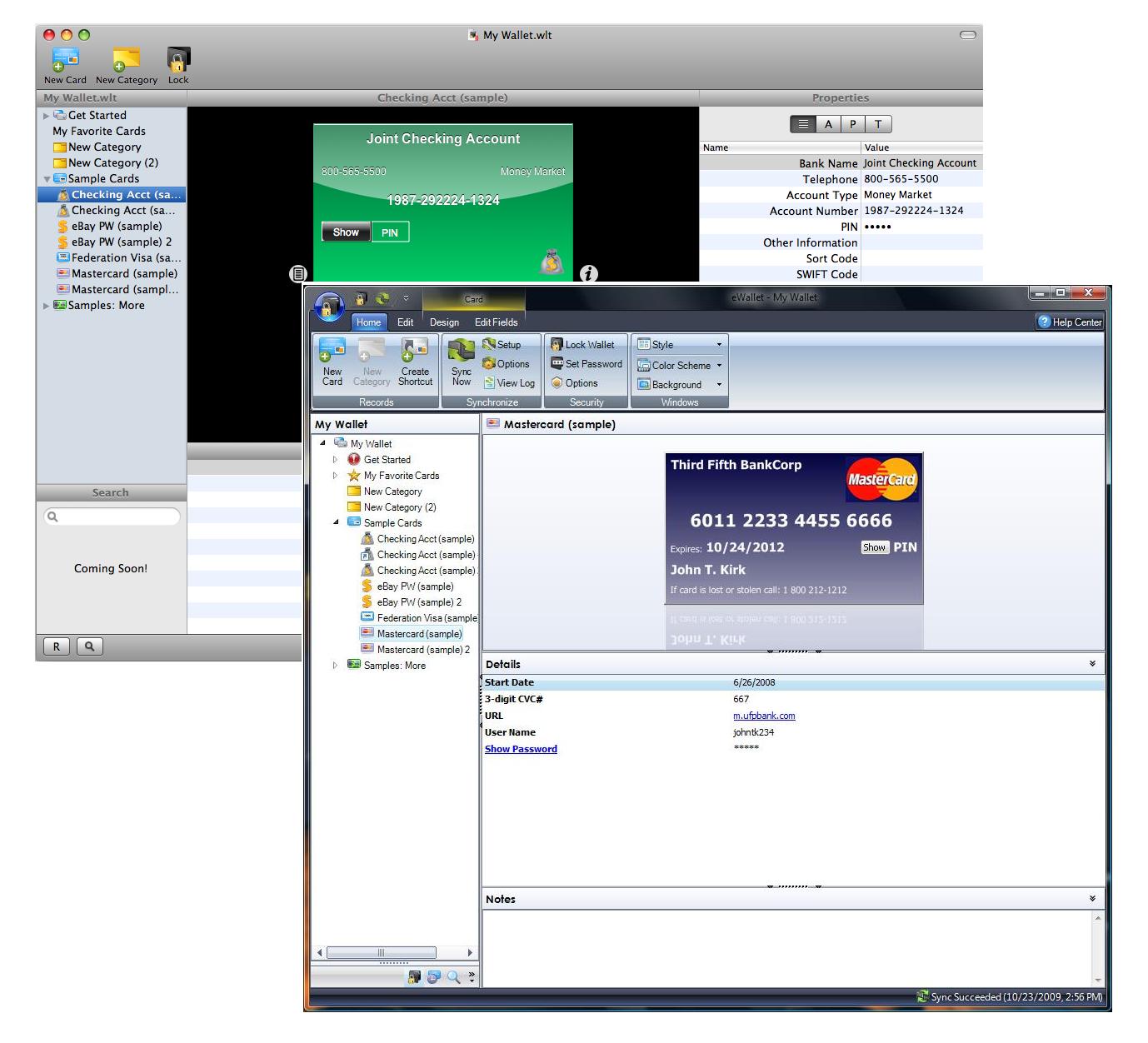
So what is so different about eWallet 7 on Windows PC? The underlying challenge is this…with eWallet 7 we literally rewrote every single piece of the eWallet program. The program you were all using before was over 10 years old and while the original code base was strong, it had some issues. None of that is left in eWallet 7. It’s a brand new application.
But why did you change it? First, it was rigid, meaning it was exceptionally hard for us to do things that people felt “should be easy to implement.” We needed flexibility so we could remain relevant going forward.
Second, it saw a lot of add-ons over the years. eWallet 6 was a LOT different (feature-wise) from eWallet 1. At some point, all that adding on takes its toll and makes it really expensive (in time and money) to improve the application.
Third, the user interface needed a major face lift. I know a lot of our long term users didn’t mind it (I kind of liked it!) BUT many old customers felt we weren’t keeping up with the times (and said so!) and for new customers it made it hard for us to compete (once they TRIED the apps they chose us, but in a screenshot to screenshot comparison it was tough for us!) Just sprucing up the old version wasn’t an option (see the first and second points!)
Didn’t you test this thing?
Did we ever! We had over 100 people actively using eWallet for around two months straight. In addition, we’ve been using eWallet 7 in-house even longer than that! Plus we did all our usual automated and manual testing that we do with every release. So yes - we tested this - A LOT!
So how did bugs get through?
Remember the part about rewriting the entire application? When you do that, no matter how carefully you test, it is impossible to find all the bugs. With Windows PCs there are literally an infinite number of installation and configuration combinations. There is NO WAY to test every condition. You test as many as you can and catch as much as you can, but you’ll never catch everything. It’s a mathematical impossibility.
Even now, with people helping us work on the bugs that have come up, many of these we can’t even replicate in-house. It is exceptionally difficult BUT we’re working on it and we will work these out. Believe it or not, the last version of eWallet had its problems - we worked through them and the same will be true here. We’ll do everything we can to help you in the meantime.
In the end it’s what we had to do… We knew we’d be facing challenges like this when we went into this. We had a 7.0.1 update release on the calendar prior to eWallet even going out. If we didn’t do this overhaul now, however, there would have been costs down the road. We had to bite the bullet and make it happen - it took a long time, a ton of work, and we’re working through some challenges now, but in the long run eWallet will be a better app for it and will be poised to serve you for the next decade.
So what is a customer to do? First, let support know what you saw by sending them an email. LOTS of people want eWallet 7 so we are getting slammed by questions, orders, and requests but we WILL answer you. If you don’t email us, however, we won’t know what is happening.
Second, if you’ve got one of the uglybugs and you decide you want to use eWallet 6 for now, that’s fine - just say so in the email and we’ll send you what you need.
Finally - talk to us! We really do want to make things right and we’ll do everything in our power to do so - so let us know what YOU need and we’ll work with you.
Sincerely, Marc
PS: Here are some things we know folks are seeing right now -Windows 7 Explorer Crashes: Can’t replicate this in-house but we’re working with some customers to figure out what is happening.
BSOD: Holy crap! A couple of people have seen really bad crashes - again, for the life of us we can’t replicate this but we’re working with some folks and will get this ironed out as well. The strange thing here is that we quite literally aren’t touching anything in Windows that should allow this! It’s nuts but we’ll figure it out!
Blank Text: Can’t see the text? We found that some customers using particularly high DPI settings are running into this. We have a solution we’re testing so hopefully we can get it into the next build.
Error 1010 On Sync: If something goes wonky during install (maybe from other programs running or something like that) it might damage your sync partnership. If that happens just delete the partnership from sync setup and re-add it. You should be all set!
These are a few that I wanted to mention just because they are the most likely to make you nuts if you get them! As I said - most people aren’t having any problems - seriously, we’ve got thousands of people using eWallet 7 now and only a handful see these - these bugs suck - we know - but odds are you won’t see them…and again…IF YOU DO, PLEASE EMAIL US! We can’t do support on the blog. It just isn’t setup for that!
I’m in the middle of a major software release right now so I’ll make this quick. I apologize that I can’t respond to all your comments individually, but considering how many of them there are, that simply isn’t possible. So - let’s get started…
Thanks!
First let me say thanks to everyone who posted their support. We really appreciate it and we are working very hard to live up to your expectations. The new release is a pretty big deal and I think you’ll all like it. In fact I think you’ll REALLY like it. So thanks for your kind words and we hope you like eWallet 7.0!
eWallet 7.0 Will Be Out Tuesday
eWallet 7.0 will be out tomorrow morning. This was the planned release date all along and we’re sticking to it.
More after the jump!
Why Did iPhone Come Out First?
Ask Apple! Our last update took 4 weeks to get approved. This one? 4 days. Seriously. We wanted them to come out pretty close (or at least have the desktop version out first) and we thought our timing was pretty good but once again Apple proved us wrong. What can I tell you - we’re at their mercy on this and we have absolutely zero control over when they release our software. It sucks. They should let us choose a date to go live once they approve it.
I Have to Pay to Upgrade?
As it says in the update notes for iPhone version, the upgrade to eWallet 7.0 on desktop may be a paid upgrade if you purchased more than 90 days ago. The price is going to be our usual $10.00 upgrade price, but with this release you’re getting something extra as well. More on that tomorrow.
I Don’t Want to Pay to Upgrade!
If you don’t want to upgrade, then you don’t have to. We’ll continue to support our previous versions just like we always have. Heck – we’ve got a couple of eWallet 2.0 users we still take calls from now and then. So if you fall outside the 90 days and you don’t want to pay to upgrade, feel free to keep using the previous version.
I Already Upgraded My iPhone and Don’t Want to Pay to Upgrade! I’m sorry. We made it extremely clear in the upgrade information that you may be required to purchase an upgrade to the desktop version. I’m very sorry if you didn’t read that before you upgraded. Update information really is very important and worth reading.Although Apple doesn’t provide you with any way to backup to an older version (although they should) there are some work-arounds out there in google searches. Here is one that Pierre posted in the blog comments here:
You can revert back to your iPhone e-wallet version 6. You need to look at your Recycle bin and check for ewallet.ipa. It should be 2.8meg. Delete your version 7 in iphone and itune. Double click ewallet.ipa and reconfigure sync. Back to normal.
Keep in mind that this is a non-supported function. I can make no promises about how well this will work. UPDATE: OK, so in talking to folks we discovered that our perfectly clear message was anything but. In fact it was a bit misleading. Please check out the NEXT blog post for an update on that - we’re working very hard on a solution to help out folks who are having trouble now or who don’t want to upgrade. Again, sorry about that!Just Send Me the Old Version If I send you the old version today, we’ll be kicked off the AppStore tomorrow and there won’t be an eWallet for iPhone. Apple won’t let us do that. Period. In fact they don’t even give us a way to get software onto your device outside of iTunes.
You Shouldn’t Charge For Upgrades!
Not charging is not a sustainable business model for a product like eWallet. New sales alone don’t cover the costs for development of major changes in functionality. We have to charge for upgrades.
You Should Have There was lots of advice in the blog comments. Some constructive - some not. I can’t answer all of them here but we thought - carefully - through pretty much every idea you posted. For any number of reasons they wouldn’t work, with reasons ranging from the limits of the AppStore to economic suicide. We truly did choose what we believed was the best possible path for this process in an environment where we have less and less control over that very same process.
Mac? Mac? MAC!!??
I’ve got something for you - not exactly what you’re expecting but I think you’ll like it! Check back tomorrow!


 More and more people are living their digital lives entirely out of their mobile devices, but the convenience of keeping your data with you may also be keeping all of your eggs in one basket.
 I’m in the middle of a major software release right now so I’ll make this quick. I apologize that I can’t respond to all your comments individually, but considering how many of them there are, that simply isn’t possible. So - let’s get started…